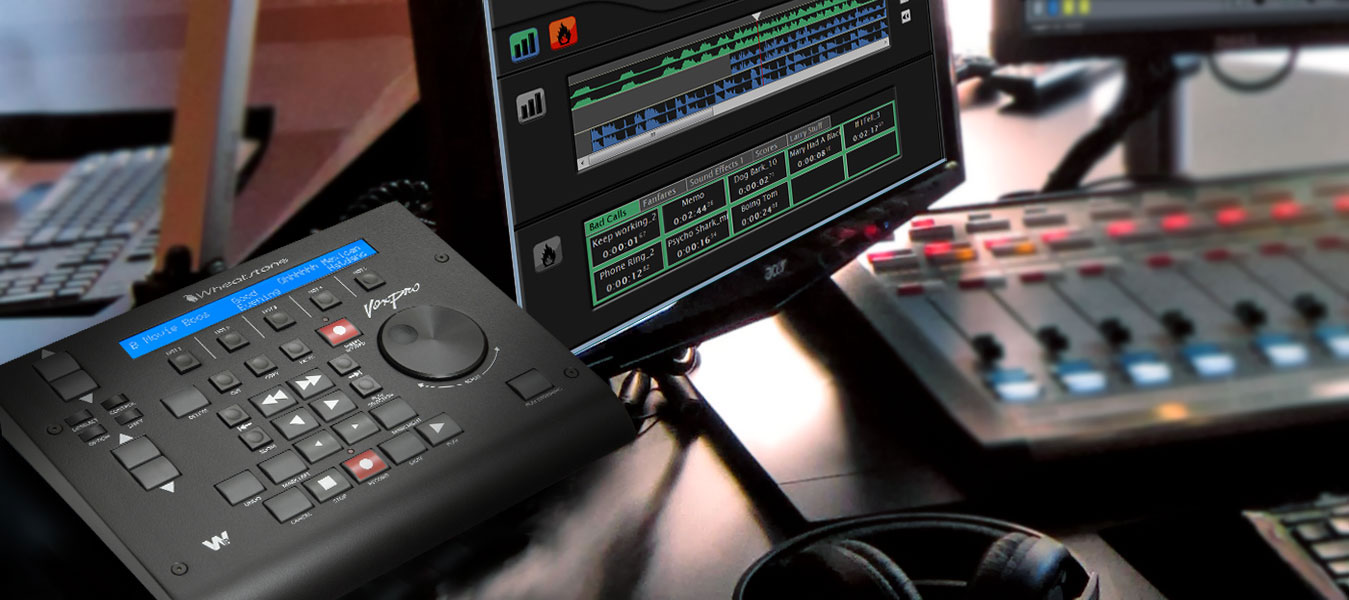






VoxPro 7.1: Record > Edit > Air... in Seconds
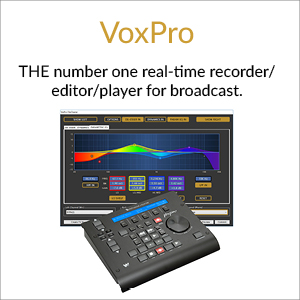
VoxPro is unique. Out of all the recorder/editors in the world, ONLY VoxPro integrates a dedicated ergonomic controller with purpose-created software designed expressly for use on-the-air to record, edit, and play clips in real time.
Whether you use it for call-ins, interviews, ad hoc comments or spots, or whatever you can think of, all you need is a few minutes with it to realize why it has become the universal standard.
Explore this page and learn about all the ways VoxPro can make your life easier, your shows more professional, and your workchain more efficient.
VoxPro digital audio editing system is the de facto standard for live radio recording, editing and airing of clips in on-air control rooms and newsrooms worldwide. With it, clips can be recorded, edited and aired in moments.
For the user, VoxPro offers advanced features including Auto-Import, Auto-Record, EZ-Export, Automatic Gain Control, networked file access, customizable folders, and our trademark VoiceSlip effect for handling host/caller talk-over.
For the engineering staff or system administrator, VoxPro makes networking a snap; its flexibility and versatility allow it to be used in any physical or network configuration. User accounts are managed by means of simple ASCII text files, and user audio files are maintained in a standard Windows format.
Fast, reliable, and easy-to-learn, the VoxPro software is most often used with the optional USB control panel. Users may create password protected folders for their own work. Unlimited undo and redo, remote start, and one-button insert record are just a few of VoxPro’s more used features. 10 GB of hard drive storage holds about fifteen hours of stereo files.
See below for the new features in version 7.1.
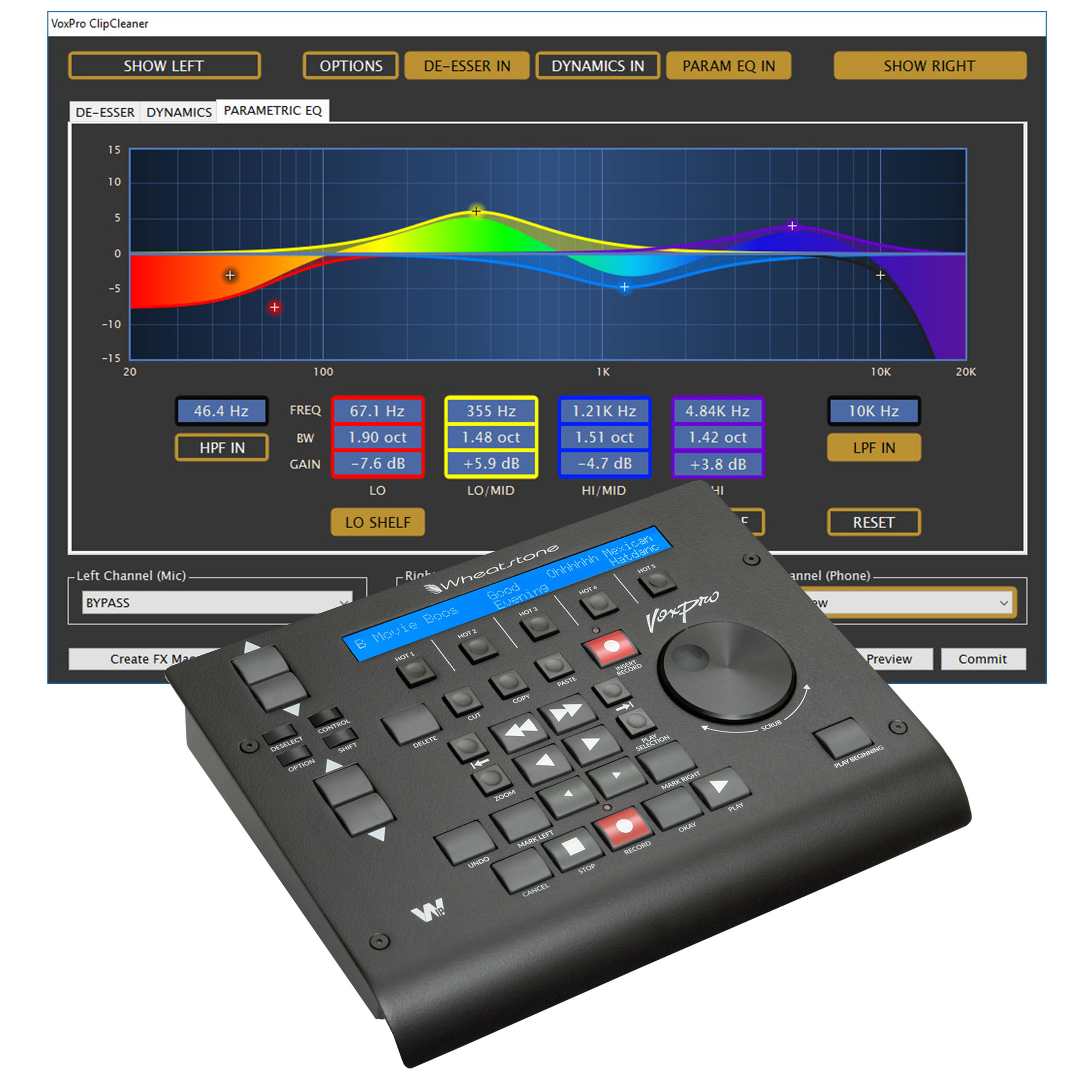
Using intuitive icons and transport keys, the control panel allows users to speedily record and edit audio. VoxPro digitally records and edits voice, sound effects, and music clips on two tracks. All popular file formats, including MP3, M4A, MP2, WAV, AIFF and WMA files can be imported individually or in groups. Audio can be exported as WAV, MP3s, or native VoxPro files.
VoxPro includes a feature that enables talent to simultaneously record audio while editing or playing back other audio. A GapBuster function automatically removes silence from interviews and phone calls. Hotkey and Marker labels can be authored in any of the world’s languages. Color-coded Markers let you work more efficiently, and a detachable Hotkey panel lets you work the way YOU want to. There’s also an option to hide the Editor and File List to reduce on-screen clutter, and greater integration with Wheatstone’s WheatNet-IP audio network, including control for routing, salvos and playback tallies with end warning flash.
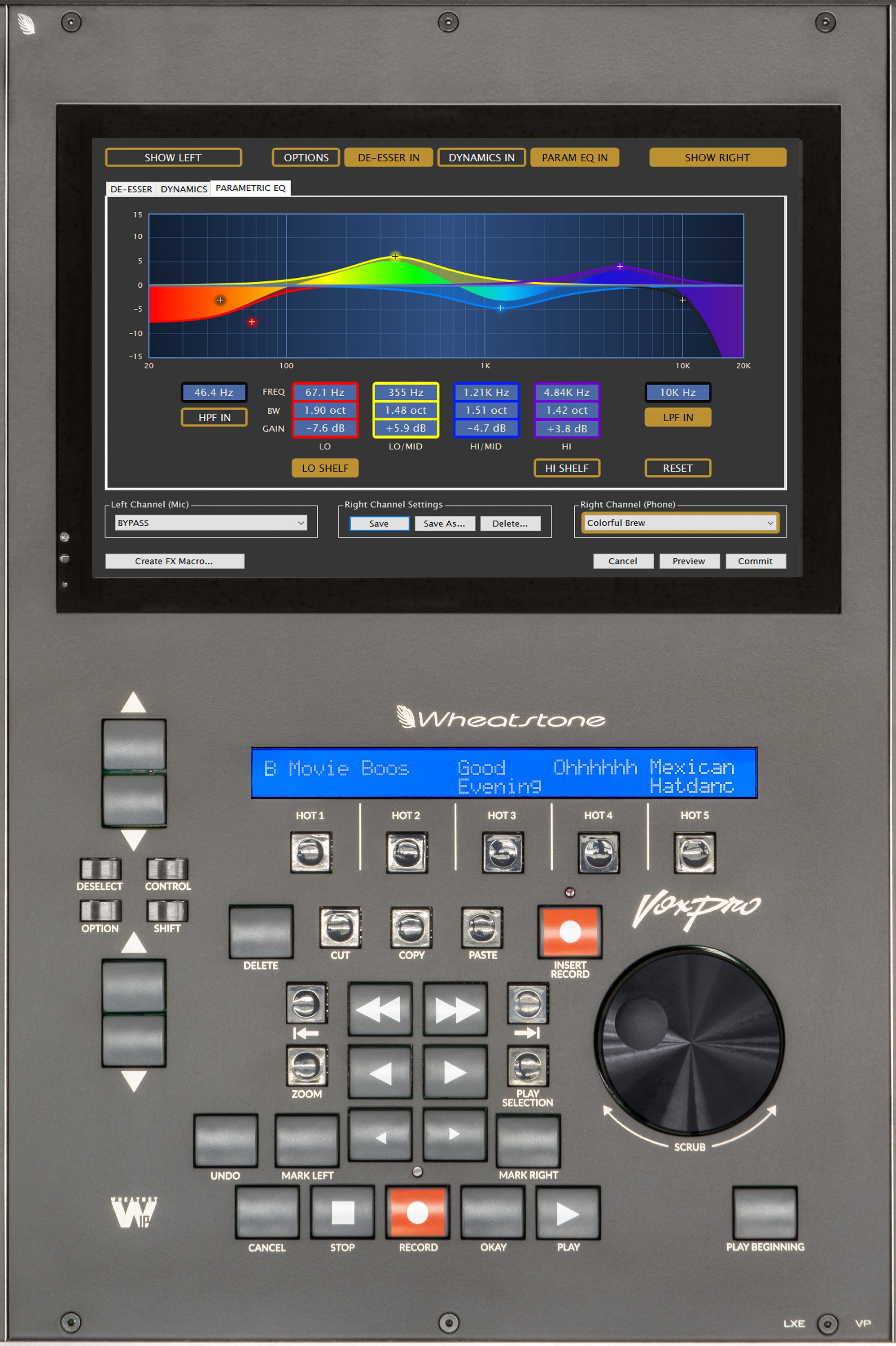
The ClipCleaner toolset includes spectral display, parametric EQ, de-esser, compressor, expander, limiter and noise gate for processing channels independently or jointly. With a GUI derived from Wheatstone’s LXE digital audio console, the ClipCleaner toolset comes with a standard library of presets for easy setup.
FX Macros are available to create one-button macros for frequently used effects and other editing operations. FX Macros can be used to create a preset for any available effect that can then be assigned to an on-screen button for quick recall. FX Macros can trigger an action or a chain of actions. For example, one click could trigger a chain of actions, starting with the removal of silences from a call-in audio file (using GapBuster), then running the results through ClipCleaner, and finally normalizing both host and caller channel levels for final broadcast. In addition to a new FX Editor, Wheatstone designers also overhauled the VoxPro Effects menu, making special effects like chorus, reverb and distortion much more accessible and making recent effect settings “sticky” for automatic recall.
A new onscreen QuickSearch box and the ability to color-code files and hotkeys makes navigation even faster when searching through long file or hotkey lists.
Other additions under VoxPro7 include support for importing 24-bit files, a new feature in GapBuster to automatically detect the noise floor, and the use of a hardware-based graphics library for smoother and more efficient performance.
VoxPro natively supports WheatNet-IP audio networking for easy access to any source anywhere in the network.
“We’ve combined all the intuitive capability that VoxPro is known for with several new features, then we Wheaty-ized it to turn it into an even more powerful tool in the broadcast studio,” says Rick Bidlack, lead engineer for VoxPro.
Optional VoxPro Now OnBoard Wheatstone's LXE AoIP Console
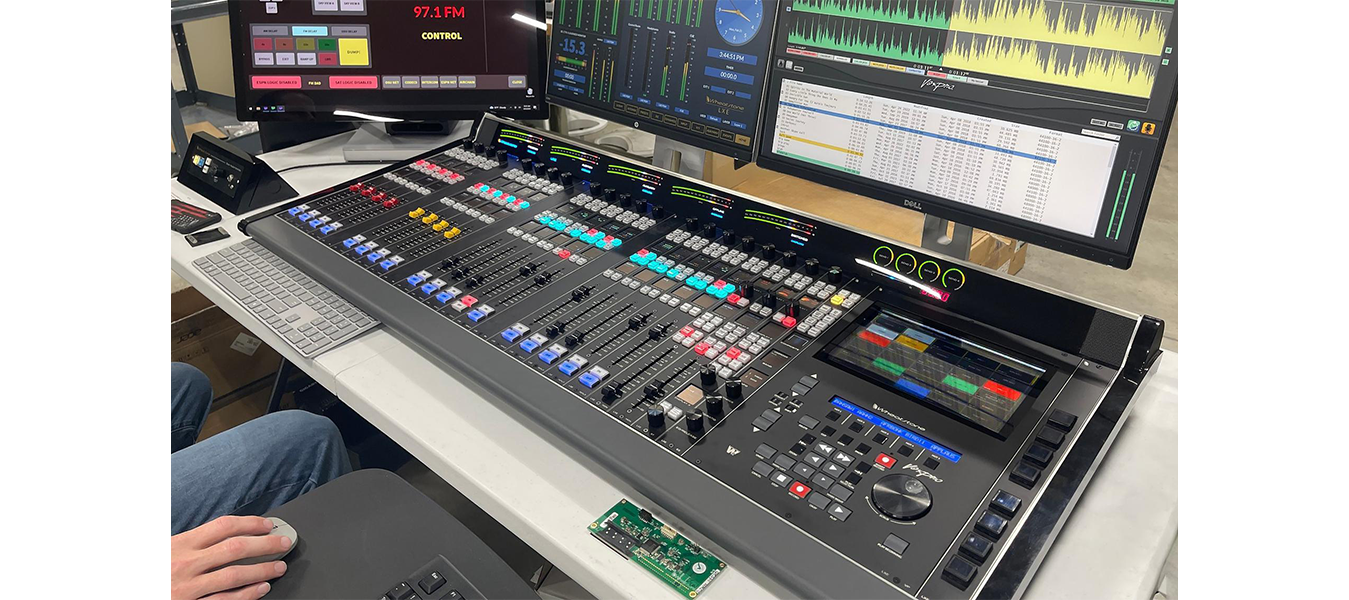
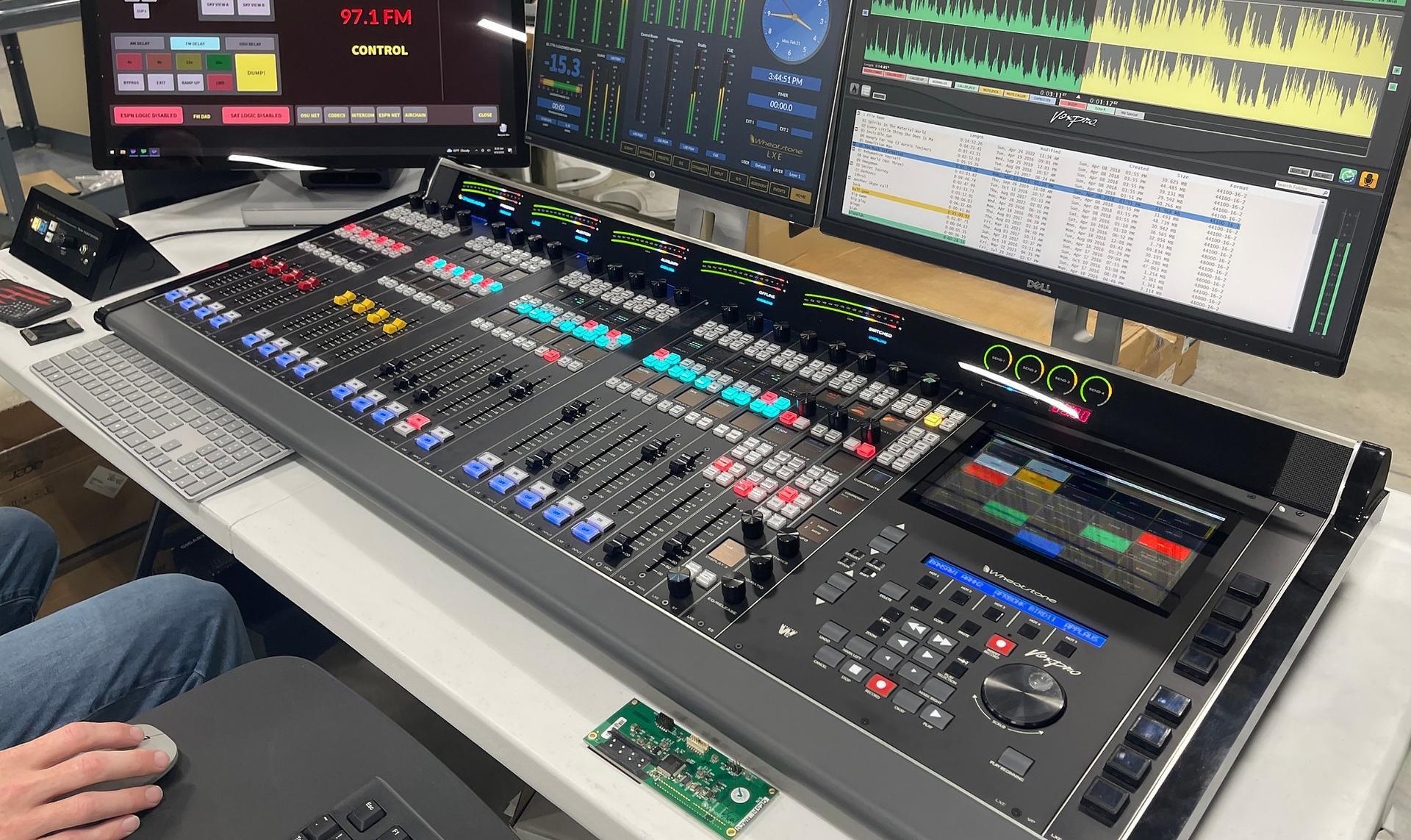
Wheatstone’s LXE AoIP console surface is now available with optional VoxPro onboard for a fully integrated mixing, routing, and live editing experience.
Now, with VoxPro jog wheel and controller integrated in line with faders and other controls on the surface of the LXE console, realtime editing is within easy reach instead of in a separate controller off to the side.
In addition to easier access, integrating VoxPro into the LXE console surface reduces workspace clutter and gives talent more tools at their fingertips during editing and recording, including control for routing and salvos.
What's New In VoxPro7.1?
Hotkeys
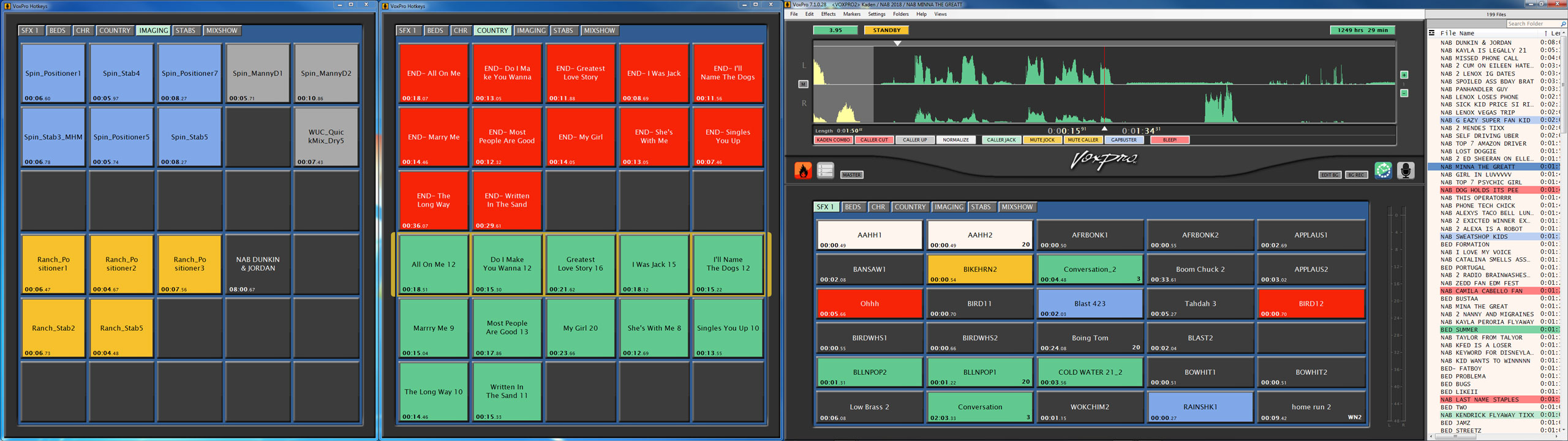
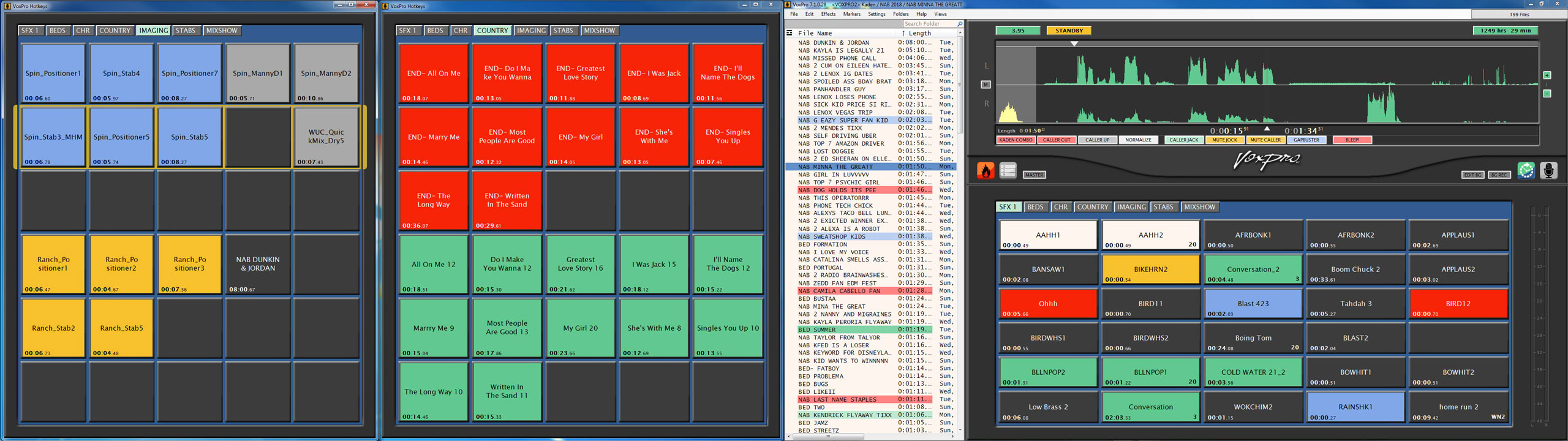
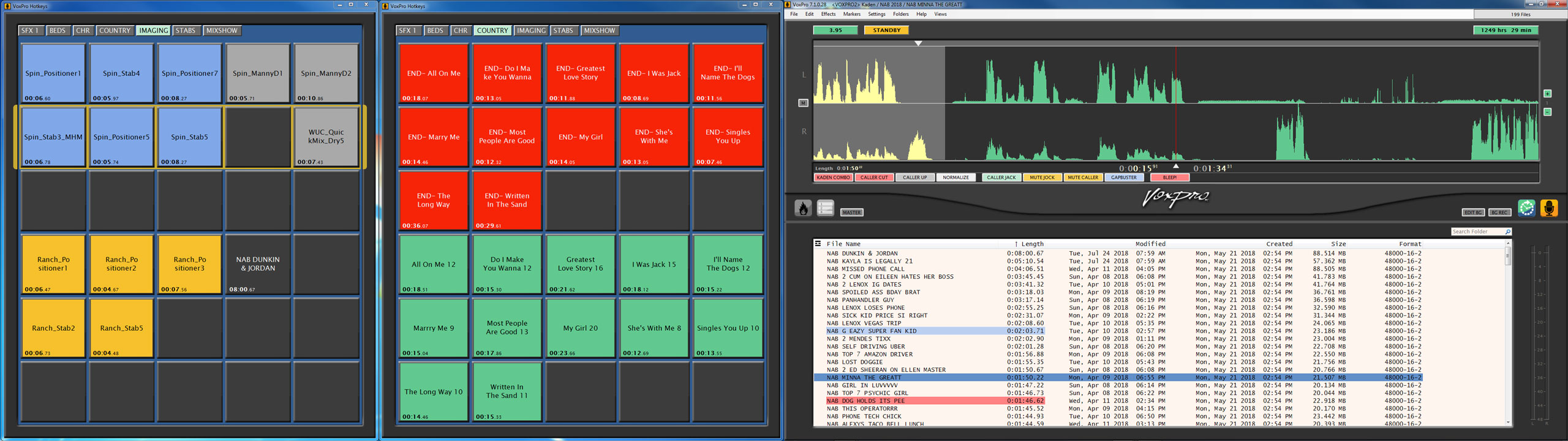
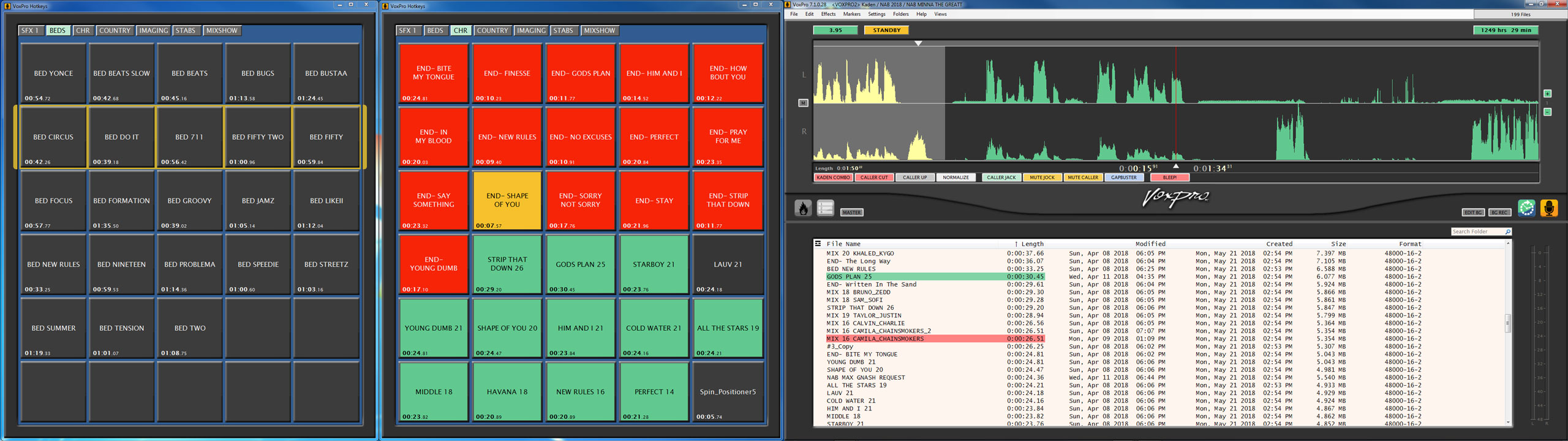
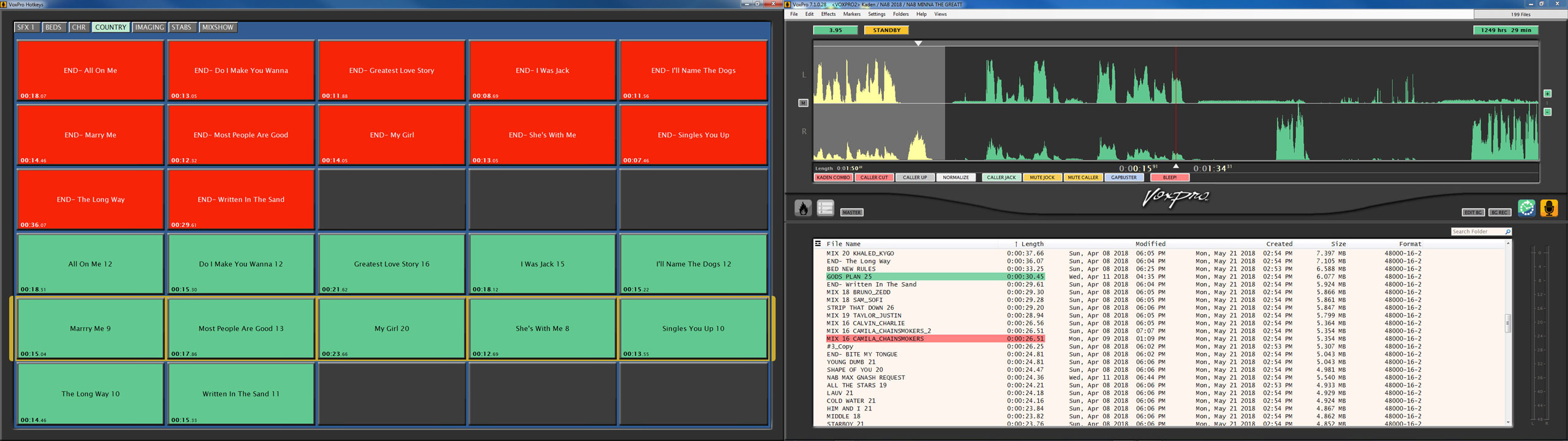
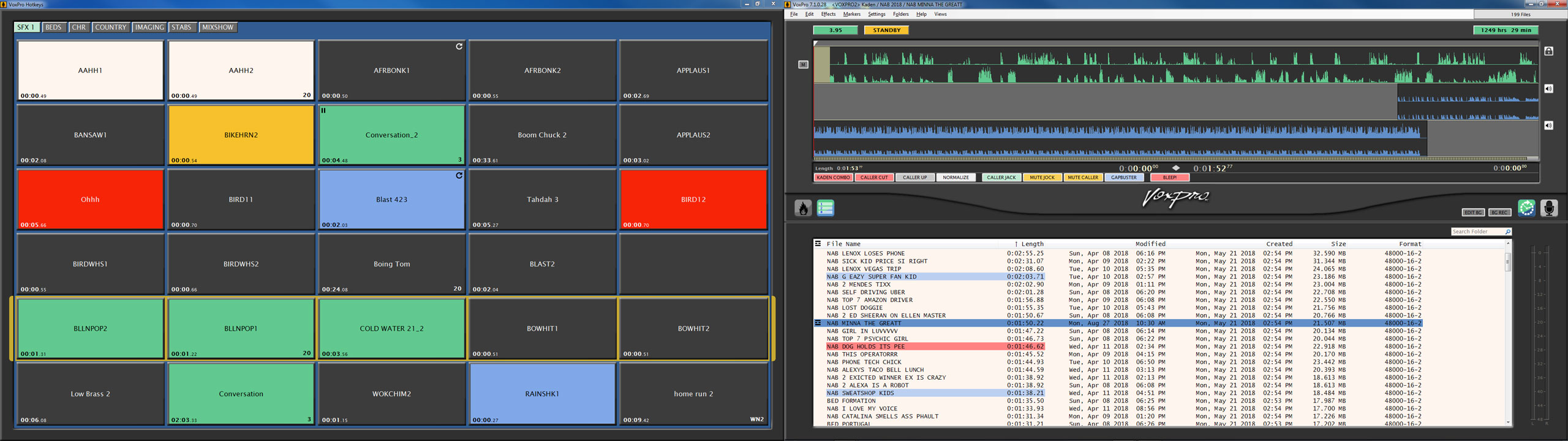
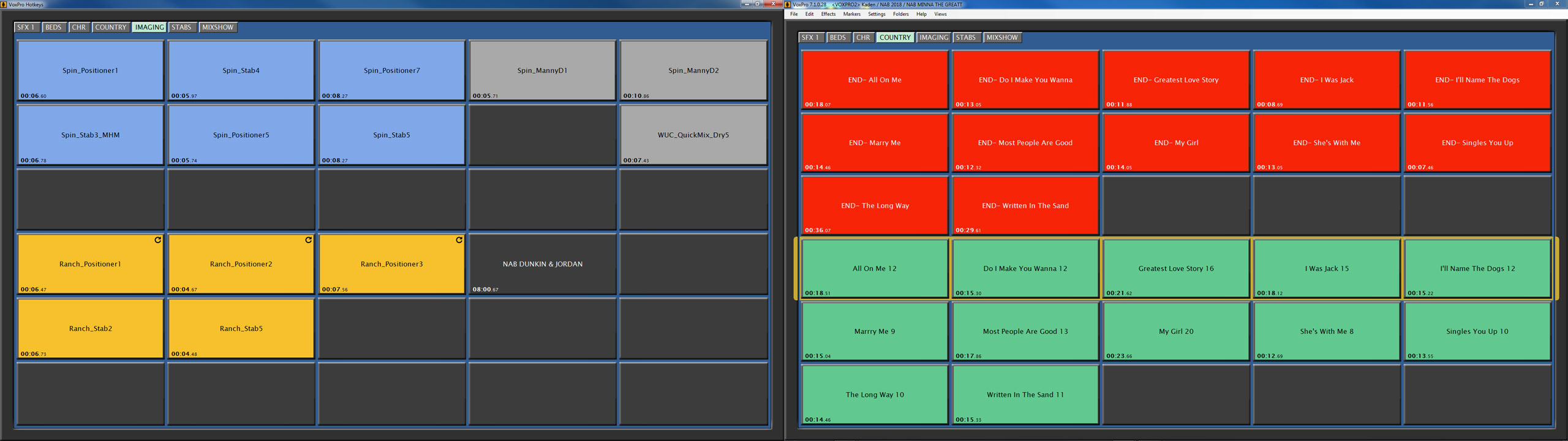
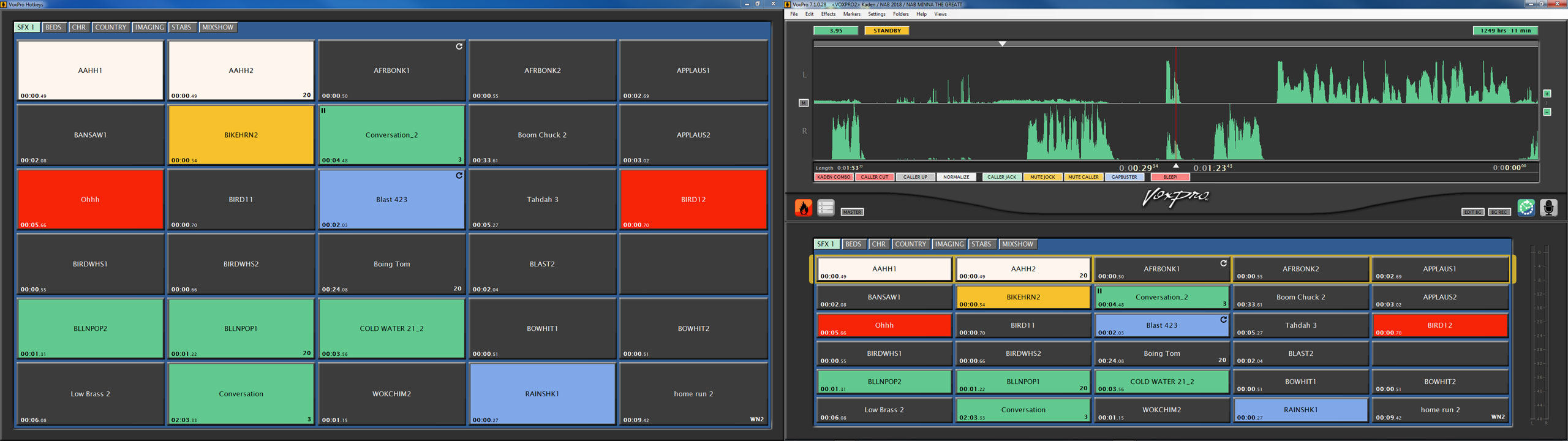
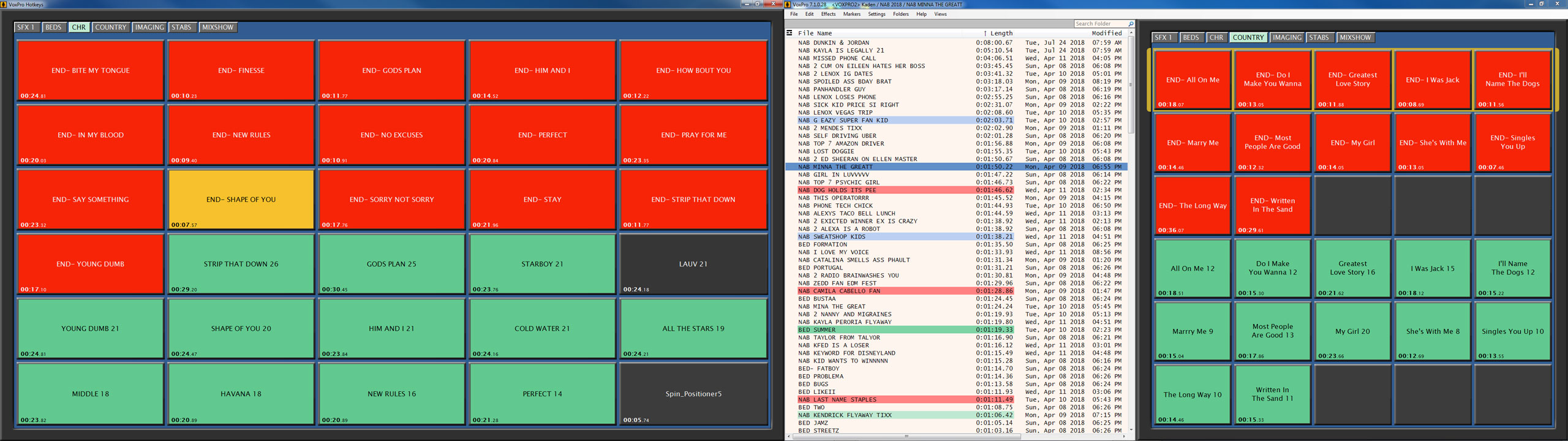
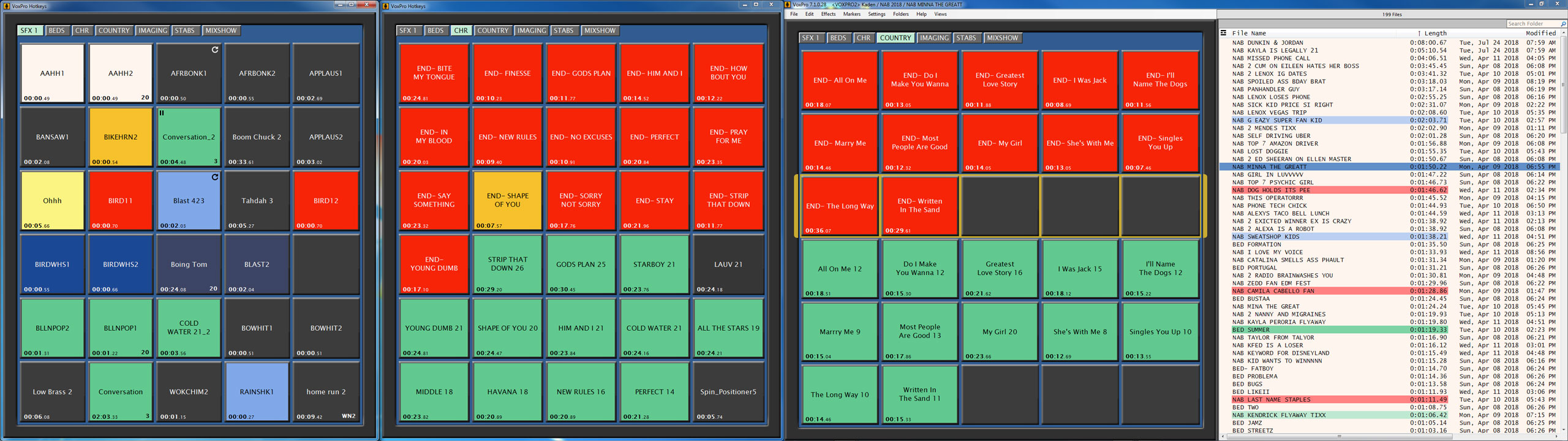
Hotkeys have been extensively overhauled. Multiple hotkeys panels may now be open simultaneously, each to a different page of hotkey cells. Remote access to hotkeys and all hotkey functions allows producer/talent teams to work together from different computers, one prepping and loading hotkeys, the other playing them to air. Hotkeys may now be looped and paused. A hotkey cell may be unloaded (cleared of audio), leaving other settings in place. There are more pad settings and more colors, and they load faster now. A new Settings/Hotkeys dialog provides controls for customizing hotkey layout and performance. Hotkeys windows may be opened from the View menu, or by right-clicking the Hotkeys button (bonfire icon) to the lower left of the waveform editor. Hotkey windows may be dragged to a secondary display monitor. All hotkey tab pages are accessible from all hotkeys windows.
Administrator may restrict which audio playback devices are allowed to be displayed in a hotkey cell’s Playback Device dropdown menu, and provide optional labels for those devices which are displayed. These controls are accessible from the Audio Devices and Formats dialog, in the Settings menu.
Shortcuts
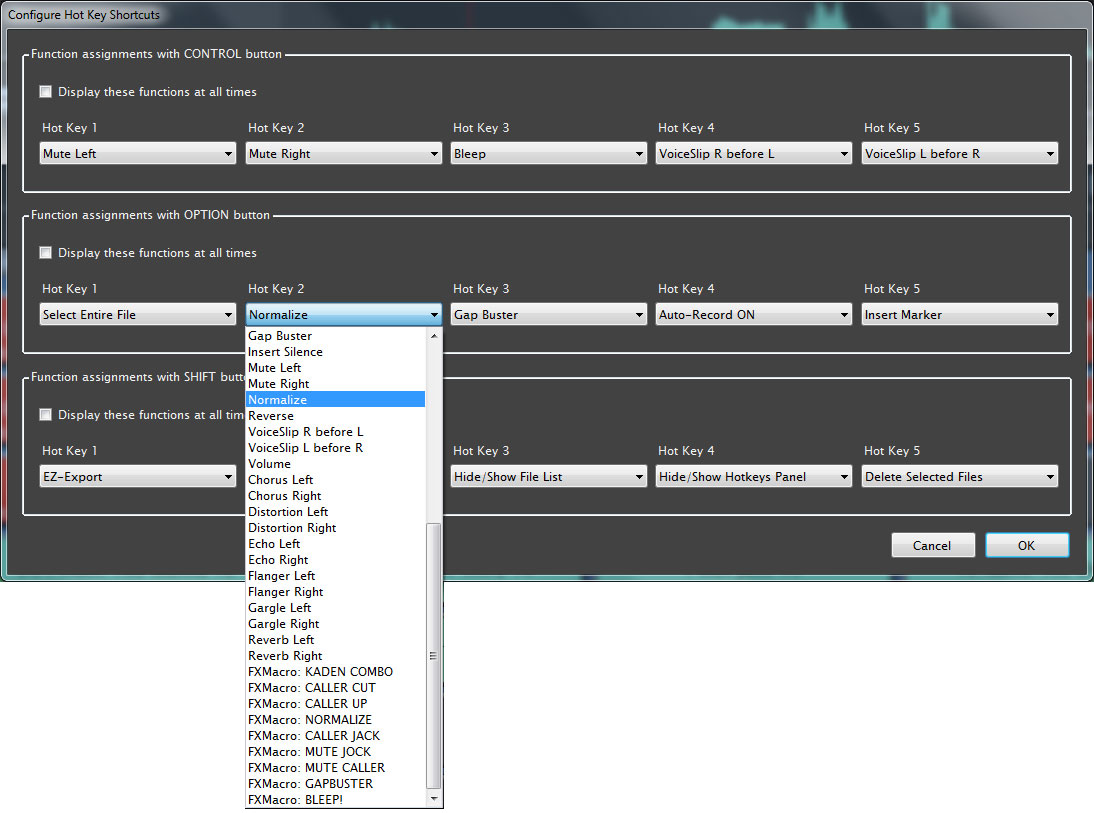 Users may now assign a variety of functions, effects and their own FX Macros to the five hot keys on the VP control panel (the buttons which are normally used to trigger audio Hotkeys). These functions are accessed by pressing the Control, Option and Shift buttons on the controller, in conjunction with the hot key. The existing effects shortcut feature, which utilizes the Control key to display shortcuts for Mute, Bleep and VoiceSlip, is still supported. Users may optionally elect to display any bank of shortcuts permanently, making these functions accessible at all times with a simple press of the corresponding hot key.
Default File Names
In order to accommodate file naming conventions imposed by various automation systems, users now have more control over the format of default file names. (The default name is the name which is automatically given to a newly recorded file, like “Untitled_32”, or “Phone67” or “COM0138”.) Any “root” name may be used, and leading zeros may now be specified. Optionally, file names may be numerical only (“0016”).
Auto-Import
Auto-Import now waits for files to stop growing in size before importing.
Auto-imported files may now be automatically gain adjusted or normalized during import.
Miscellaneous
User's headroom display setting (from Settings/Playback) is now incorporated into zoom controls in right margin of waveform editor.
The Administrator is now able to rebuild all users' file databases.
The Search dialog now stays on top always.
It is no longer necessary to install the WNIP PC Driver in order to use WNIP routing commands.
It is no longer necessary to install the Sentinel HASP driver if the Keylok dongle is being used. An improved installer allows the HASP driver to be uninstalled if not needed.
VP7.1 is intended to be a no-cost replacement for VP7. It recognizes any valid VP7 license key, thus VP7 owners do not need to re-register in order to run this version. For VP4/5/6 owners, it will run for 3 weeks on their current license key, just like VP7 does.
As actively developed software, VoxPro is under continual development. Below are the features that were introduced in Version 7.
-
The industry’s most popular editor/recorder gets a new signal processing toolset for letting talent quickly clean up phone calls for on-air presentation.
-
New ClipCleaner toolset includes spectral display, parametric EQ, de-esser, compressor, expander, limiter and noise gate for processing channels independently or jointly. Comes with a standard library of presets for easy setup.
-
FX Macros to create one-button macros for frequently used effects and other editing operations. FX Macros can be used to create a preset for any available effect that can then be assigned to an on-screen button for quick recall.
-
A new onscreen QuikSearch box and the ability to color-coded files and hotkeys makes navigation even faster.
-
In addition to a new FX Editor, Wheatstone designers also overhauled the VoxPro Effects menu, making special effects like chorus, reverb and distortion much more accessible and making recent effects settings “sticky” for automatic recall.
-
Support for importing 24-bit files, a new feature in GapBuster to automatically detect the noise floor, and the use of a hardware-based graphics library for smoother and more efficient performance.
-
Extended support for WheatNet-IP audio networking.
- Rich set of playback options.
- Editable recordings with several ways to create and use edit points.
- Infinite undo/redo capability persists for the lifetime of a file.
- Audio effects including normalization, mute, bleep, reverse, pitch change, and time stretch.
- Import and Export files in standard formats.
- Customizable scrubbing for fast and accurate positioning while editing.
- Password protected user accounts.
- Optional control panel with most commonly used controls, including jog wheel.
- Any number of Hotkeys available for immediate one-button playback.
- MultiTrack panel allowing additional support files overlayed on title track.
- GapBuster effect (automatic silence removal).
- Simultaneous playback and record (record in background while playing and editing in foreground).
- Ability to copy/move/delete/rename files from the Search panel.
- Support for Unicode labels in Hotkeys and Markers.
- Color-coded Markers, new graphical method to precisely position location of markers.
- WheatNet-IP (WNIP) routing controls.
- WNIP playback tally with end warning flash.
- User option for exclusive Hotkey playback mode.
- User option to disable remote control inputs and outputs.
- Detachable Hotkeys window, ability to hide Editor and File List panels.
- MultiTrack feature allows the placement of music and sound effects to any Master Edit using drag and drop.
- On-screen Hotkeys with the ability to set-up an endless number of tab pages with up to 12 rows per tab, five Hotkeys per row. Drag and drop edited bits, music and sound effects.
- Resize fonts in the Edit List and for Hotkey labels.
- Place the Edit List on the left or right side of the VoxPro window when in MultiTrack and/or Hotkey mode.
- Multi-Channel Playback - Play a Hotkey bit while recording other content in VoxPro.
- Mobile Device Audio Support for remote talent. Record and upload content that will instantly import into VoxPro.
- Blog your bits by exporting on-air bits and spots in web-friendly bit rates to share with listeners and clients.
- Automatically search all reachable VoxPro accounts.
- Effects - Pitch and Time and are combined as one effect allowing simultaneous pitch shift with time stretch.
- Effects - Normalization has flexible options. Left, Right, both jointly or independently plus the ability to set peak level.
- AGC boosts the timid and limits the loud on either or both channels. Say goodbye to caller levels that are too low and hello to consistent levels!
- Markers - Place markers while recording or playing back by pressing the ‘M’ key on your computer keyboard. All markers are listed in a dropdown window. Double clicking a marker note title takes you to that mark in the recording. Right clicking a title allows you to edit the note, playback from that marker or go to the marker. Great for interviews, baseball or football games.
- Auto-Network - Forget about dealing with IP addresses and computer IDs. VoxPro workstations connected to your station's LAN automatically detect each other and stay connected, allowing users to access their password protected accounts from any VoxPro workstation.
- Zoom - Four Zoom levels: x1, x4, x10, and sample-by-sample. Press the Q key on your computer keyboard or the zoom key on VoxPro control panel for very precise editing. You can even playback files in the zoom position as the zoom effect stays on until the Q or zoom key is pressed again.
- Auto-Import - VoxPro users can choose any folder anywhere on the station's LAN and have VoxPro check that folder every 30 seconds for any incoming media files. If a file is detected it automatically gets "sucked-up" and into the users current folder.
- EZ-Export - If you find yourself continually exporting to one particular folder, either on your VoxPro computer or anywhere on the station's LAN, you can set up VoxPro to always export to only that folder with the EZ-Export right click command when a file title is highlighted. Each user may customize this feature (and it applies to any MultiTrack mix created).
- Standard WAV format files – VoxPro uses the industry standard RIFF WAV file format for universal compatibility.
VoxPro Control Surface
- Measures 8.25" x 10". Takes up very little real estate.
- Ruggedly built to professional specifications to withstand normal control room abuse.
- Hotkey titles appear five at a time in the backlit LCD directly above the corresponding keys.
- USB device.
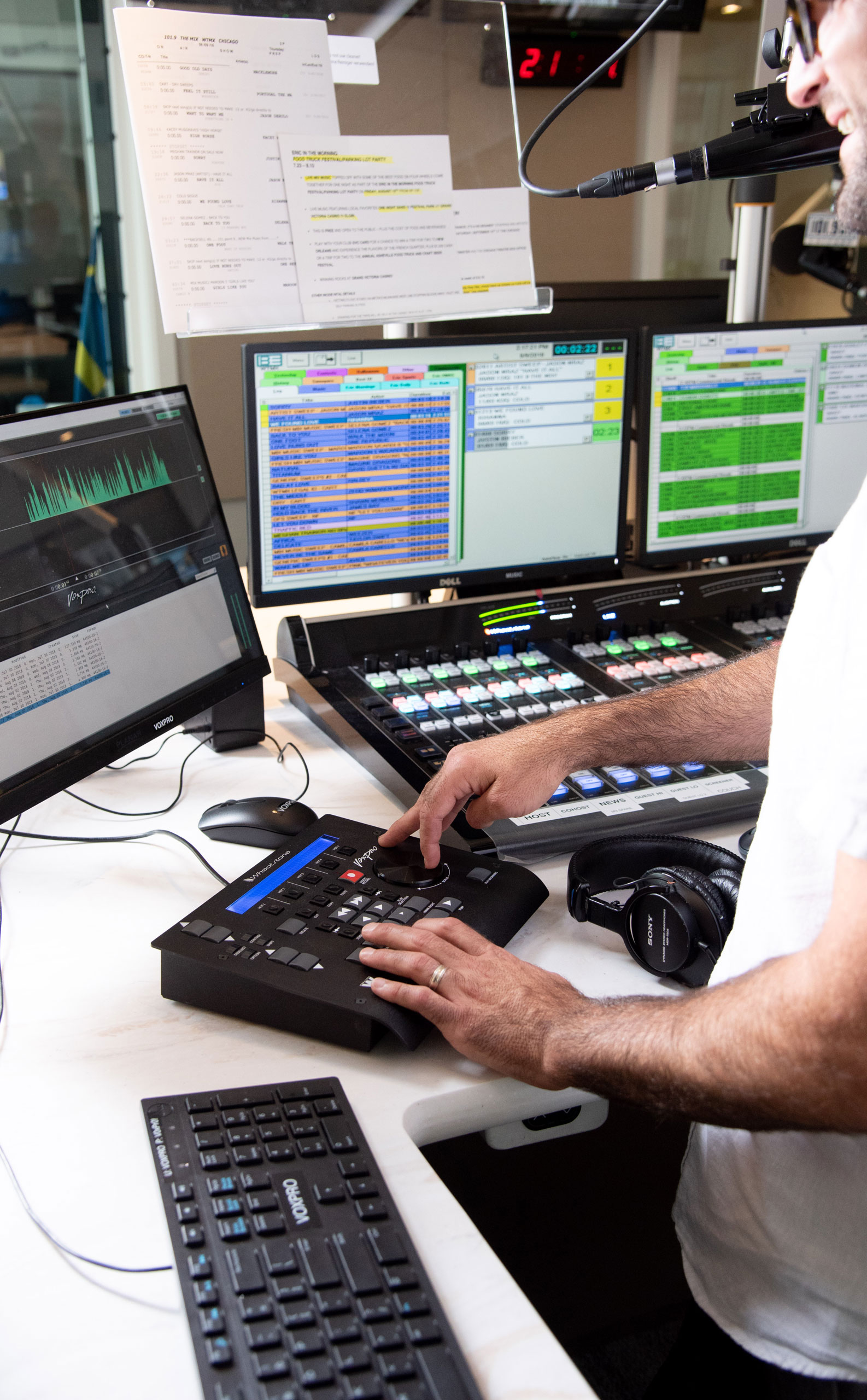
Download VoxPro Whitepaper: How PPM Changed the Time Between Songs
Click image to download the paper.
In this white paper, we outline how VoxPro is used to maximize engagement with audiences and why it's an important tool for virtually any live radio program. It's a great read.
VoxPro Review: Radio World
Alan R Peterson wrote a lovely piece on VoxPro6, and gave us permission to share it.
Some years ago, something epic began happening with radio contest callers: They stopped asking if they were the “ninth caller;” they already had their radios turned down, and they were as tight in their responses as the jock was in his/her performance.
Did their level of intellect or their performing chops suddenly improve overnight? Nope. Give credit where credit is due: Stations bought a VoxPro — the recorder/ editor for live on-air operation, designed in 1991 by Seattle personality Charlie Brown and distributed by Audion Labs.
VoxPro 7 Informational Videos
VoxPro 7 Instructional Videos
VoxPro Capabilities Speed Live Talk Show Production
The standard tool for speeding live production in top 40 radio now speeds talk show production.
First off, no other hardware or software solution lets you non-destructively edit a live production AS you record without stopping or altering the original recording. In addition, VoxPro’s intuitive jogwheel hardware interface makes finding and editing call-ins a snap. Additionally, Hot Keys give you instant access to highlights for production, teasers, etc.
VoxPro is perfectly suited for rapid editing of studio and call-in content and can tighten an entire program by automatically removing unwanted dead space. Markers let you indicate, in real-time, material that needs review before prepping for distribution (streaming, podcasts, syndication, etc). Plus you can clean up audio with EQ and dynamics processing, as well as add effects if you desire, either as you go or when you are prepping delivery for different media.
Scroll down to see the tools VoxPro gives you and consider all the ways you can streamline your talkshow production.
Main Window
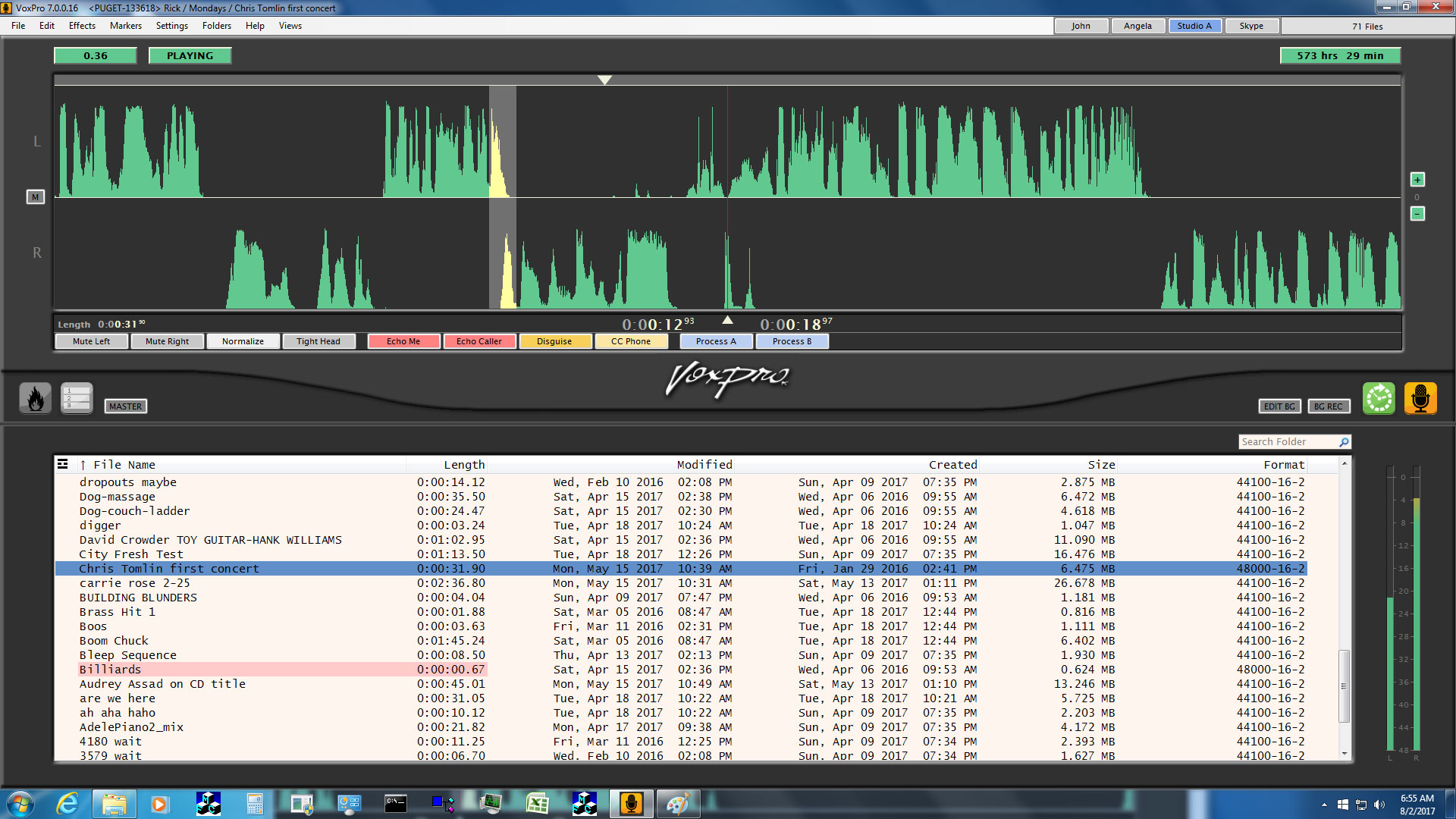
VoxPro’s main window is laid out to give you an overview of your audio files as well as an editing window to get right to work with the audio you select.
Recent additions to VoxPro include the WheatNet-IP routing assignment buttons at the top, background recording and editing indicators, and a detachable Hotkeys window.
Hotkeys
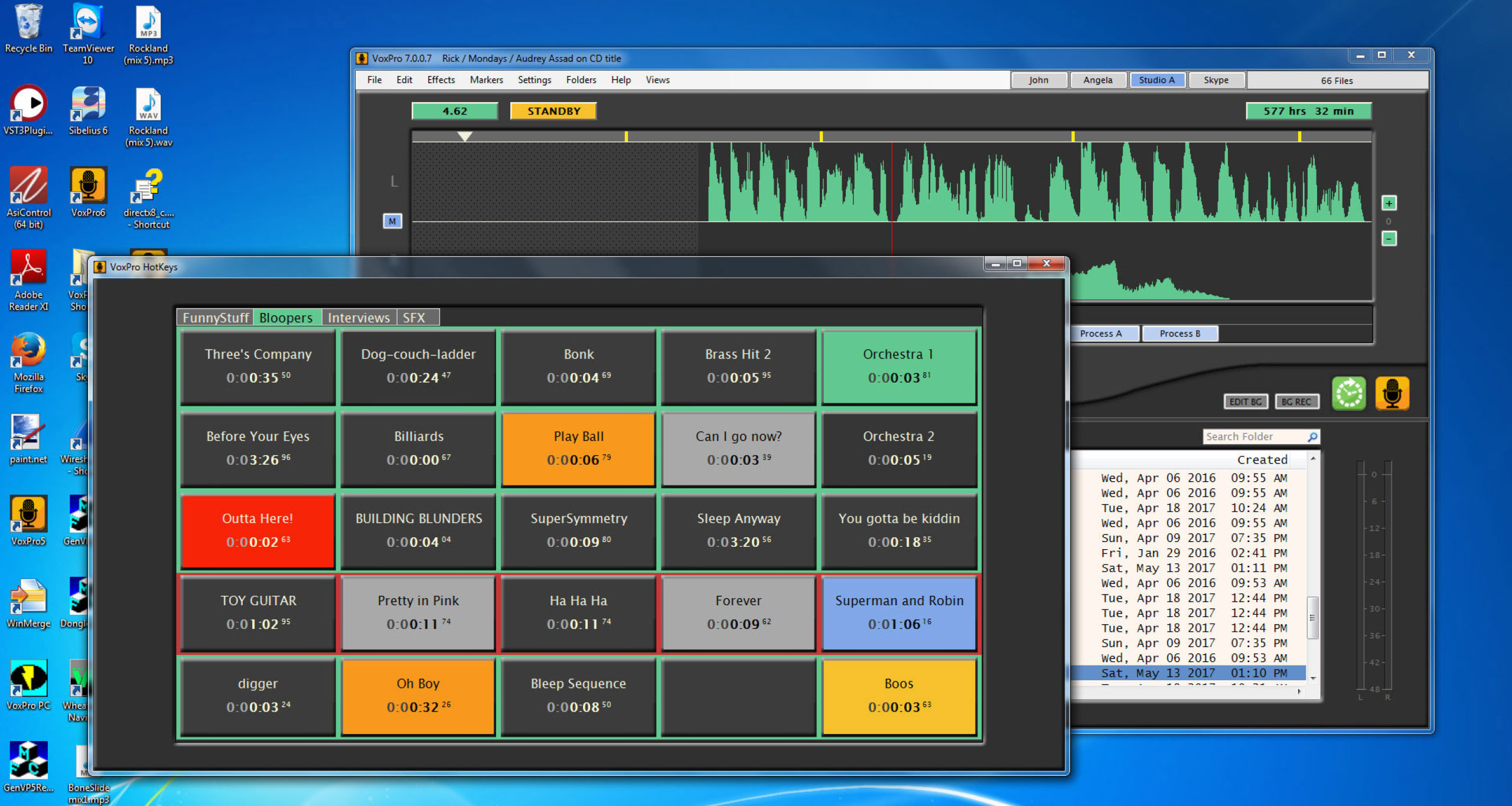
On-screen Hotkeys window with the ability to set-up an endless number of tab pages with up to 12 rows per tab, five Hotkeys per row. Drag and drop edited bits, music and sound effects. Play multiple Hotkeys simultaneously, or switch on exclusive Hotkey playback mode to stop any currently playing Hotkey when a new Hotkey is triggered.
Hotkeys have been extensively overhauled. Multiple hotkeys panels may now be open simultaneously, each to a different page of hotkey cells. Remote access to hotkeys and all hotkey functions allows producer/talent teams to work together from different computers, one prepping and loading hotkeys, the other playing them to air. Hotkeys may now be looped and paused. A hotkey cell may be unloaded (cleared of audio), leaving other settings in place. There are more pad settings and more colors, and they load faster now. A new Settings/Hotkeys dialog provides controls for customizing hotkey layout and performance. Hotkeys windows may be opened from the View menu, or by right-clicking the Hotkeys button (bonfire icon) to the lower left of the waveform editor. Hotkey windows may be dragged to a secondary display monitor. All hotkey tab pages are accessible from all hotkeys windows.
Administrator may restrict which audio playback devices are allowed to be displayed in a hotkey cell’s Playback Device dropdown menu, and provide optional labels for those devices which are displayed. These controls are accessible from the Audio Devices and Formats dialog, in the Settings menu.
Clip Cleaner
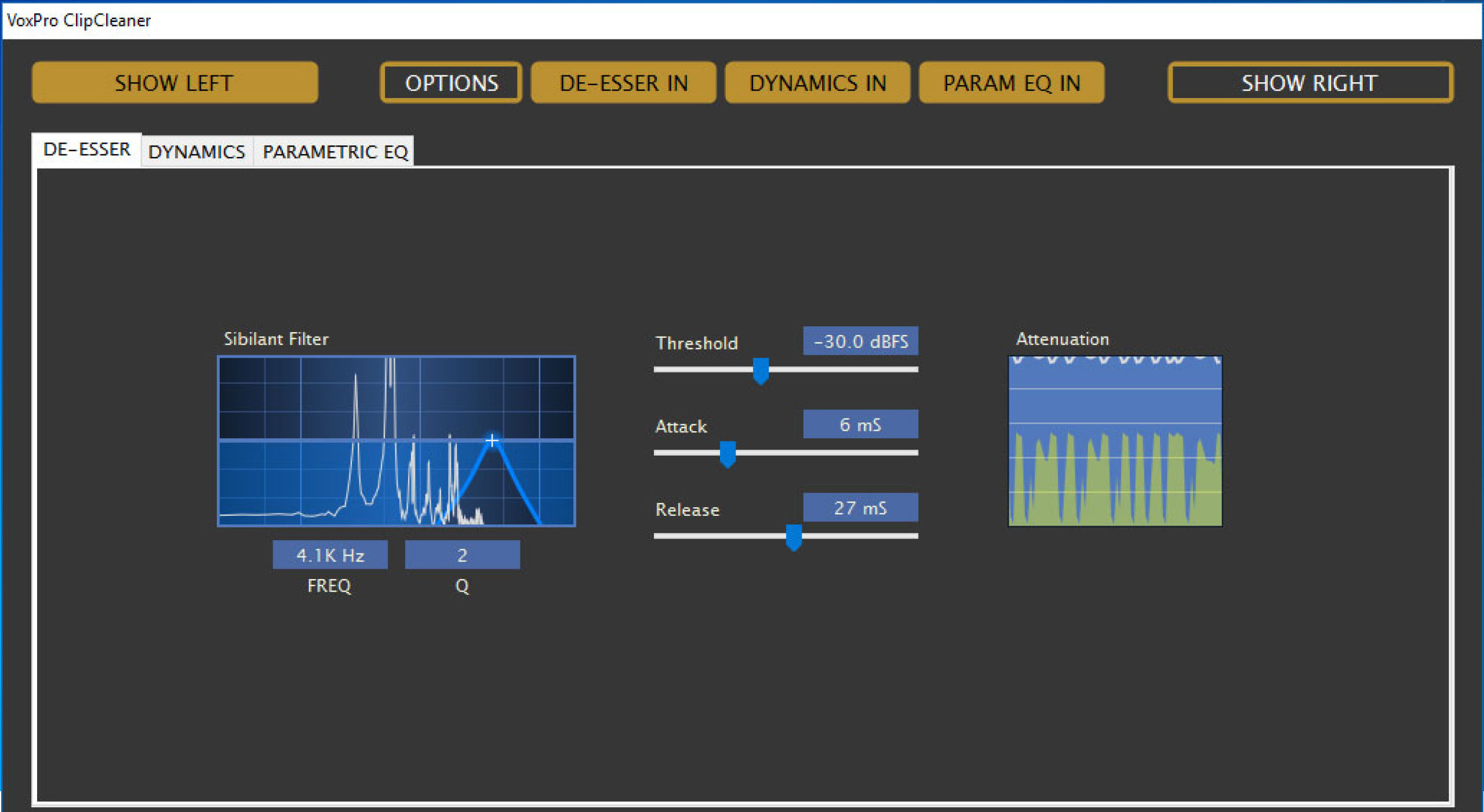
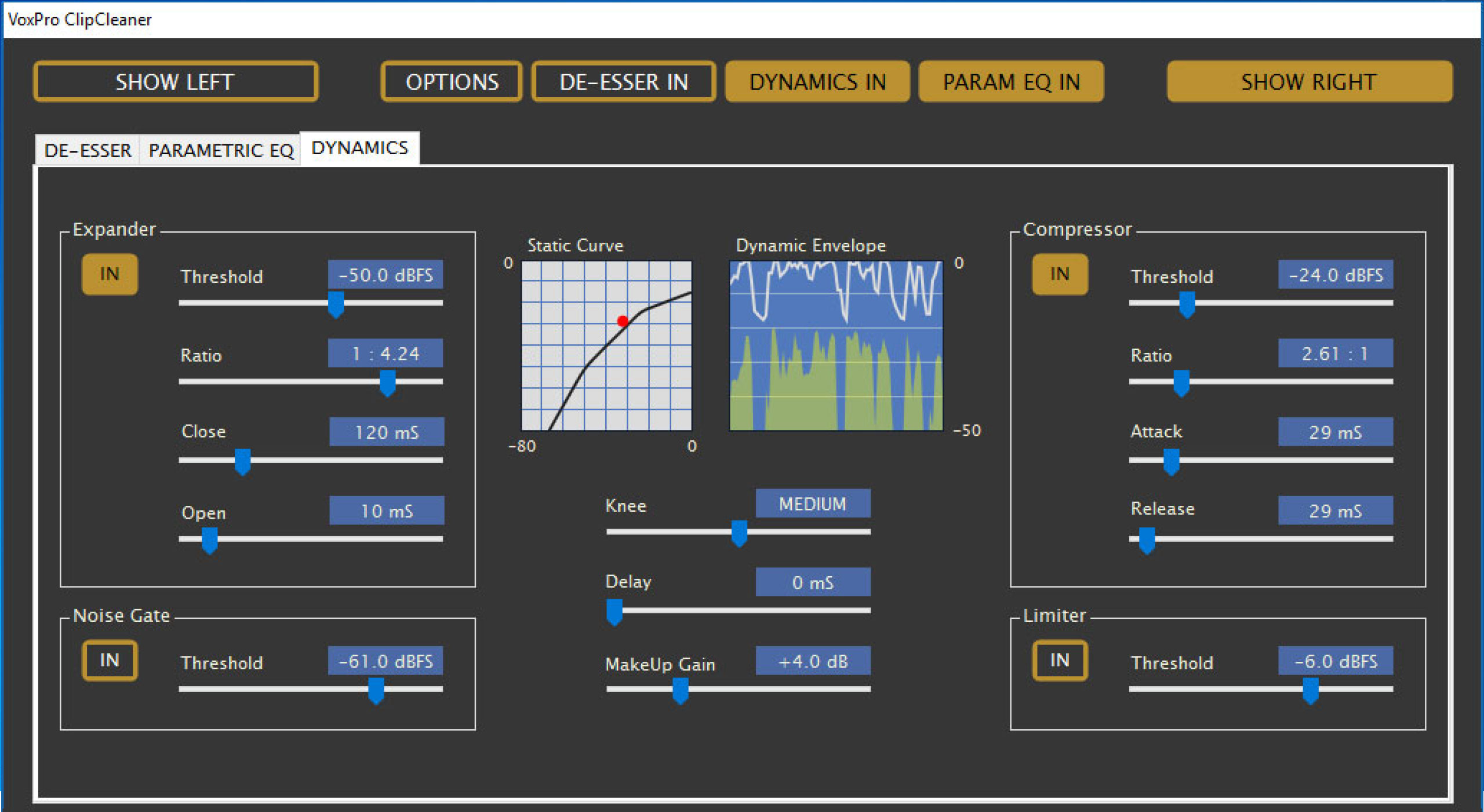
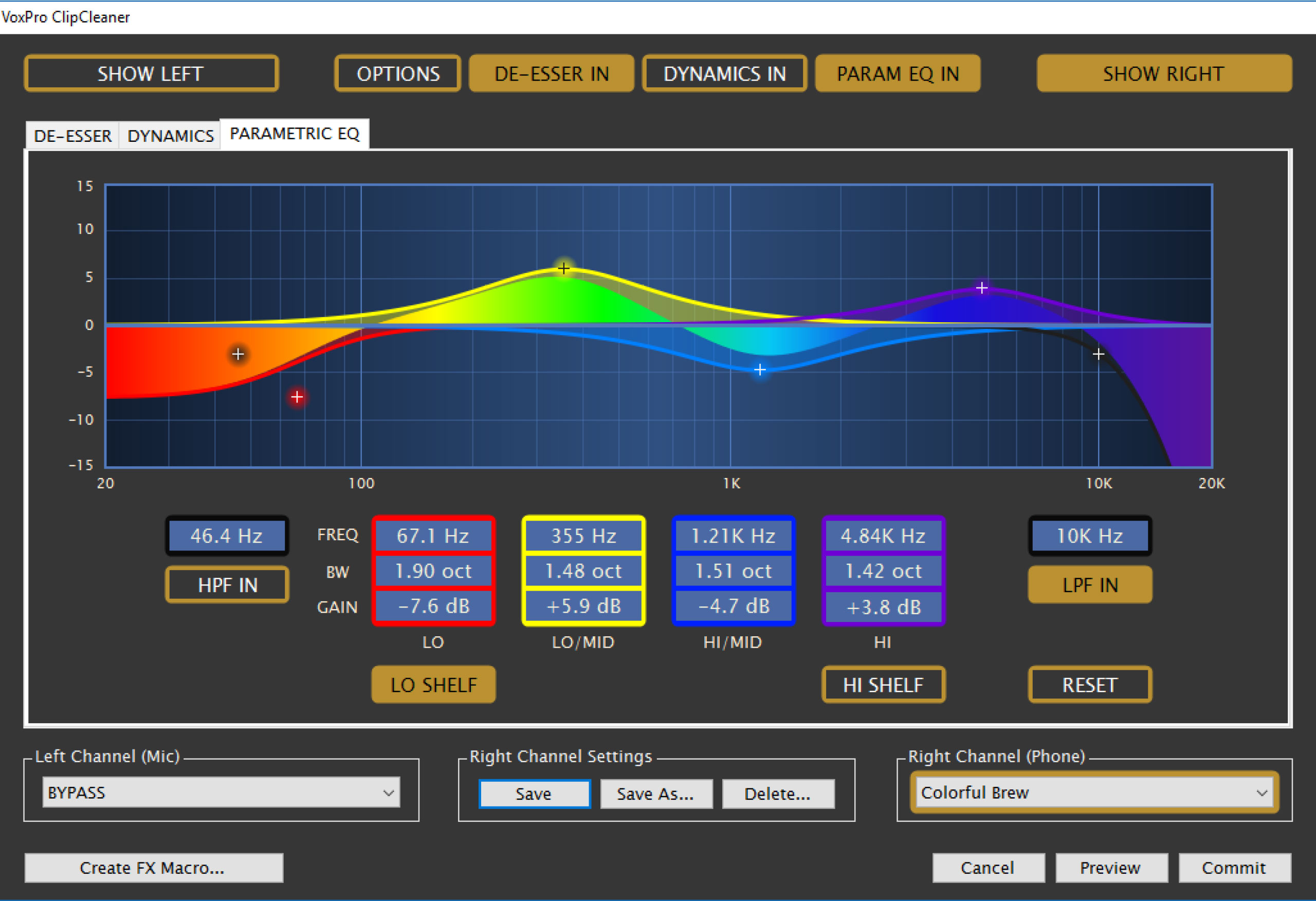 The VoxPro7 ClipCleaner toolset includes spectral display, parametric EQ, de-esser, compressor, expander, limiter and noise gate for processing channels independently or jointly to clean and enhance the quality of noisy phone calls, but of course it can be used for other purposes (e.g. special effects) as well.
ClipCleaner is organized into three separate processing stages:
De-Esser
Dynamics
Parametric EQ
The De-Esser helps to control audio spikes (generally above 2KHz) that are a result of the pronunciation of sibilants such as “S”, “SH”, “CH”, “Z” and sometimes the plosives “T” and “D”. It is essentially a frequency-controlled ducker.
The Dynamics section adds expansion, noise gating, compression and limiting to your audio to help reduce background noise and level the audio to make the volume more consistent.
The Parametric EQ section offers six filters, four of which are fully parametric, as well as a high-pass filter (HPF) and a low-pass filter (LPF).
ClipCleaner brings an exceptionally powerful set of audio tools to VoxPro7, making it a true standalone audio workstation.
GapBuster
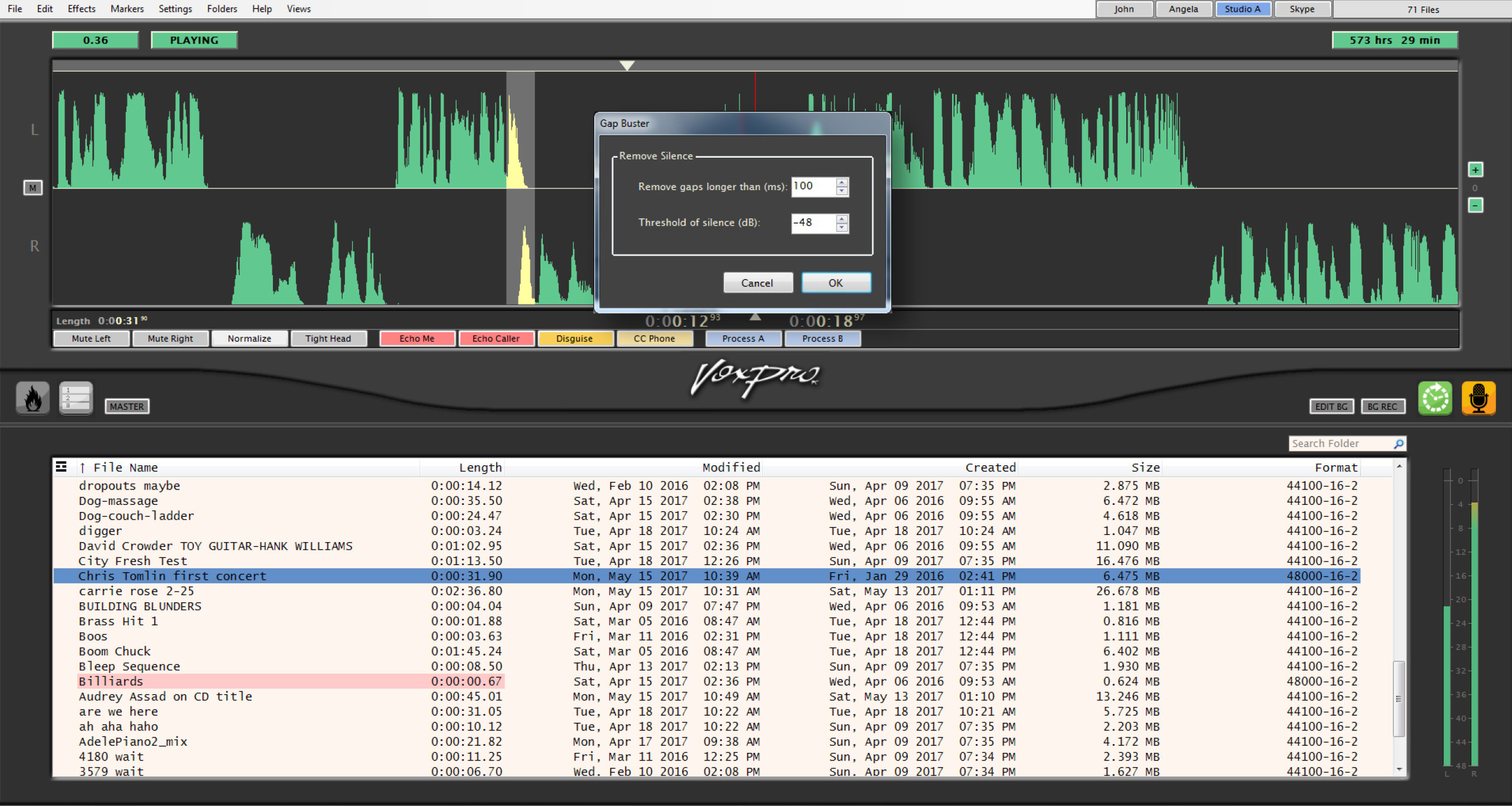
Of course a jock would never have moments of awkward silence, but callers often do. With VoxPro’s GapBuster, you can set thresholds for the length of time a pause in the conversation lasts and replace it with your own preset timing, automatically. Its algorithm makes for absolutely natural-sounding conversations.
Background Recording
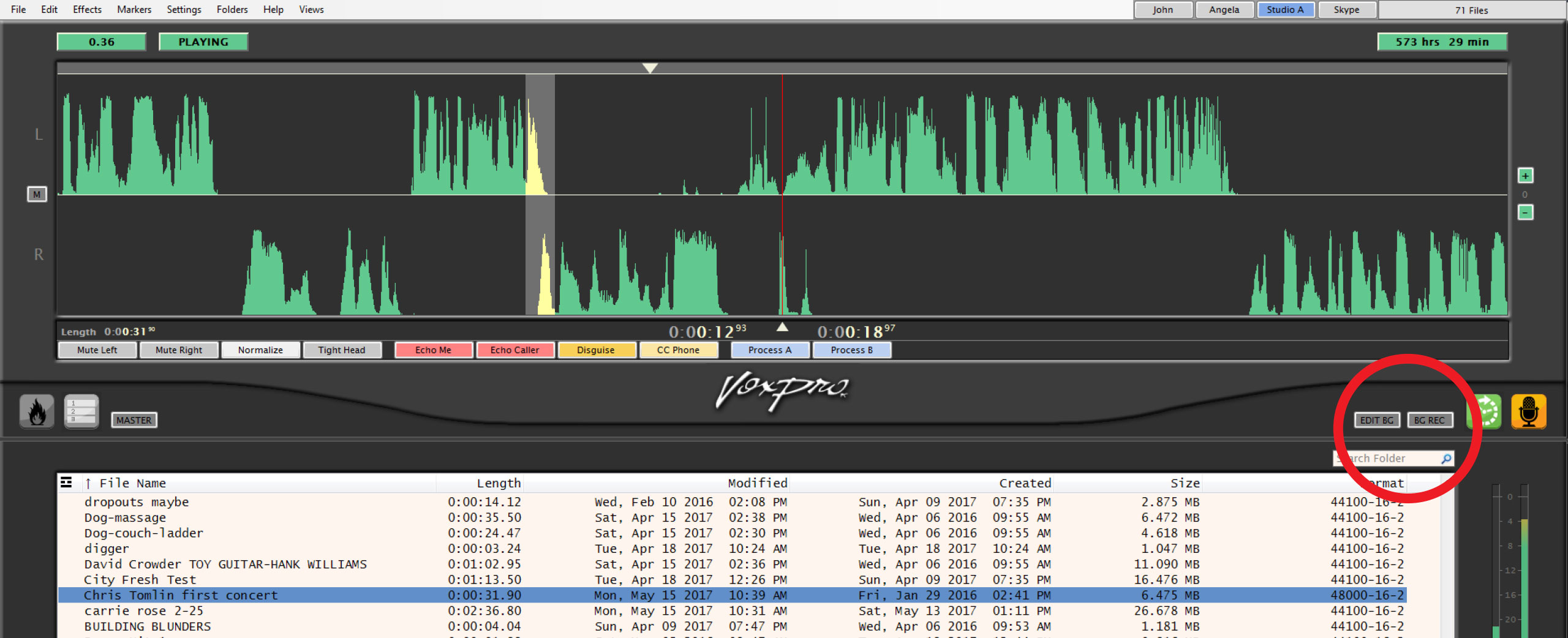
With VoxPro, you can simultaneously record and play back audio. This is particularly handy when covering, for example, sports. Suppose you are recording a baseball game, but want to excerpt a teaser for news of a home run being hit. Nothing to it. Grab the audio, copy it, edit it, play it – all while the full game continues being recorded.
MultiTrack Panel
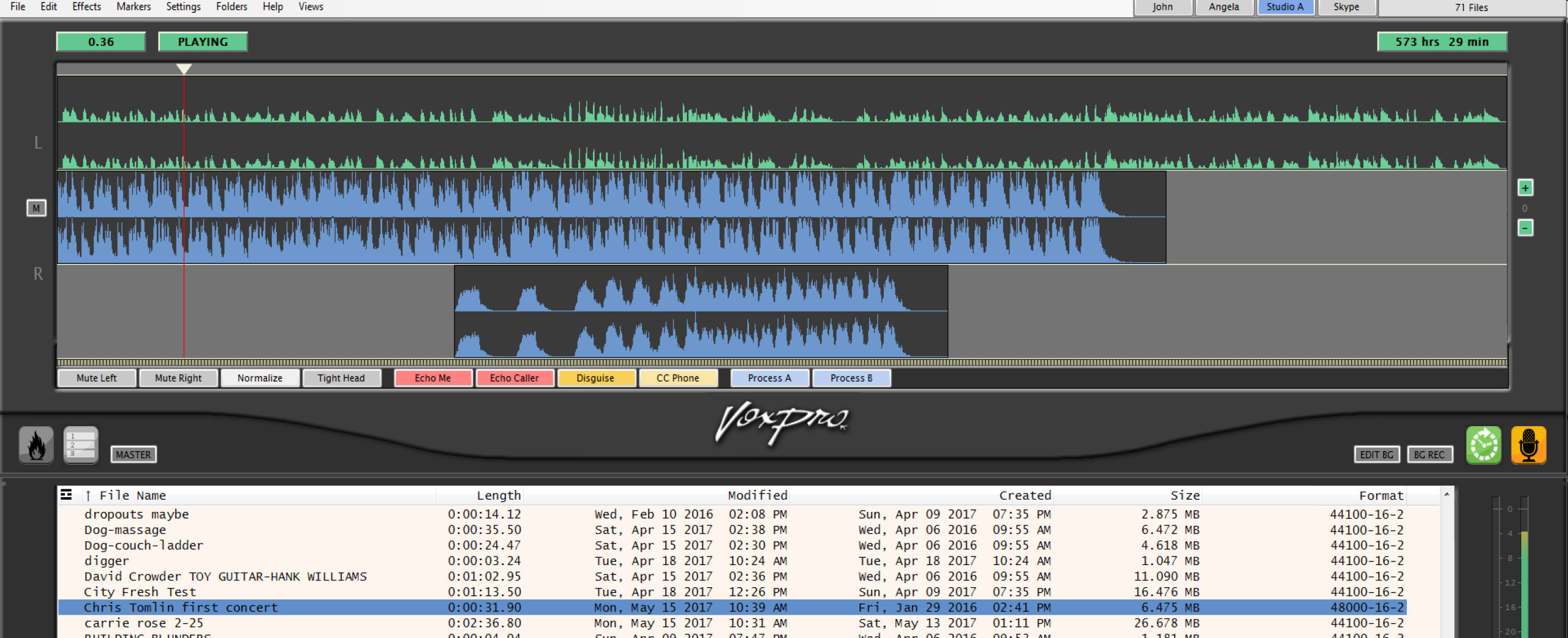
The MultiTrack Panel allows multiple audio files to be layered over the current active file. The top-most file in the MultiTrack Panel is the active file, displayed in its entirety. This is referred to as the “title track”.
Editing
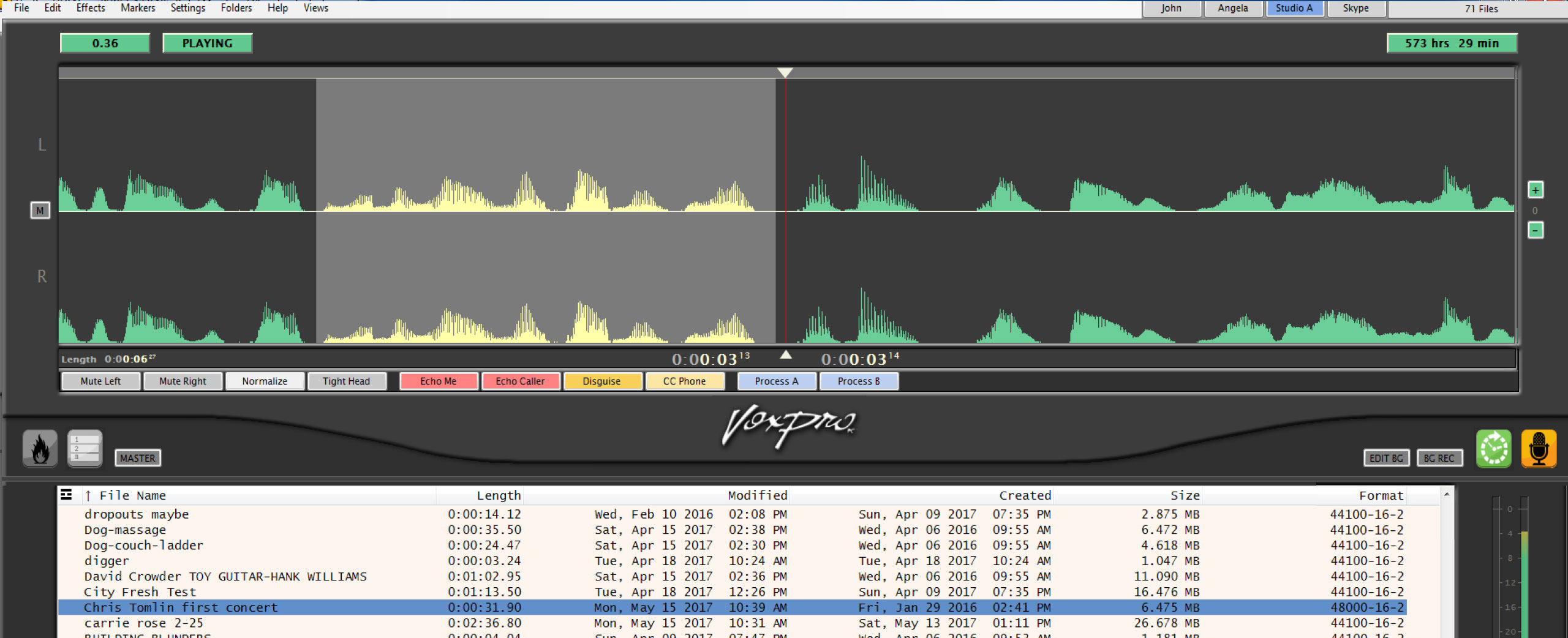
Because VoxPro was created specifically for live, on-air use, we came up with an editing interface that is simple and intuitive. It provides exactly the tools you need to edit the type of audio you are working with as fast and cleanly as possible, for immediate playback.
Networking
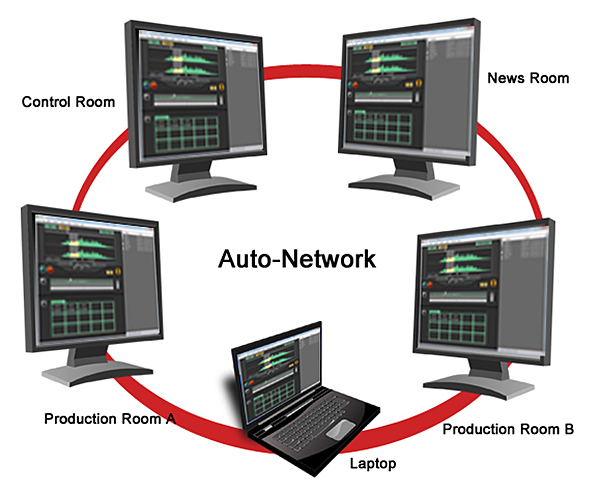 Networking VoxPro workstations is totally automatic and pain free. How simple is it? Put two or more computers running VoxPro on your station's Lan and they automatically find each other, swap information and connect, allowing users to access their password protected accounts from those workstations.
Effects Macros
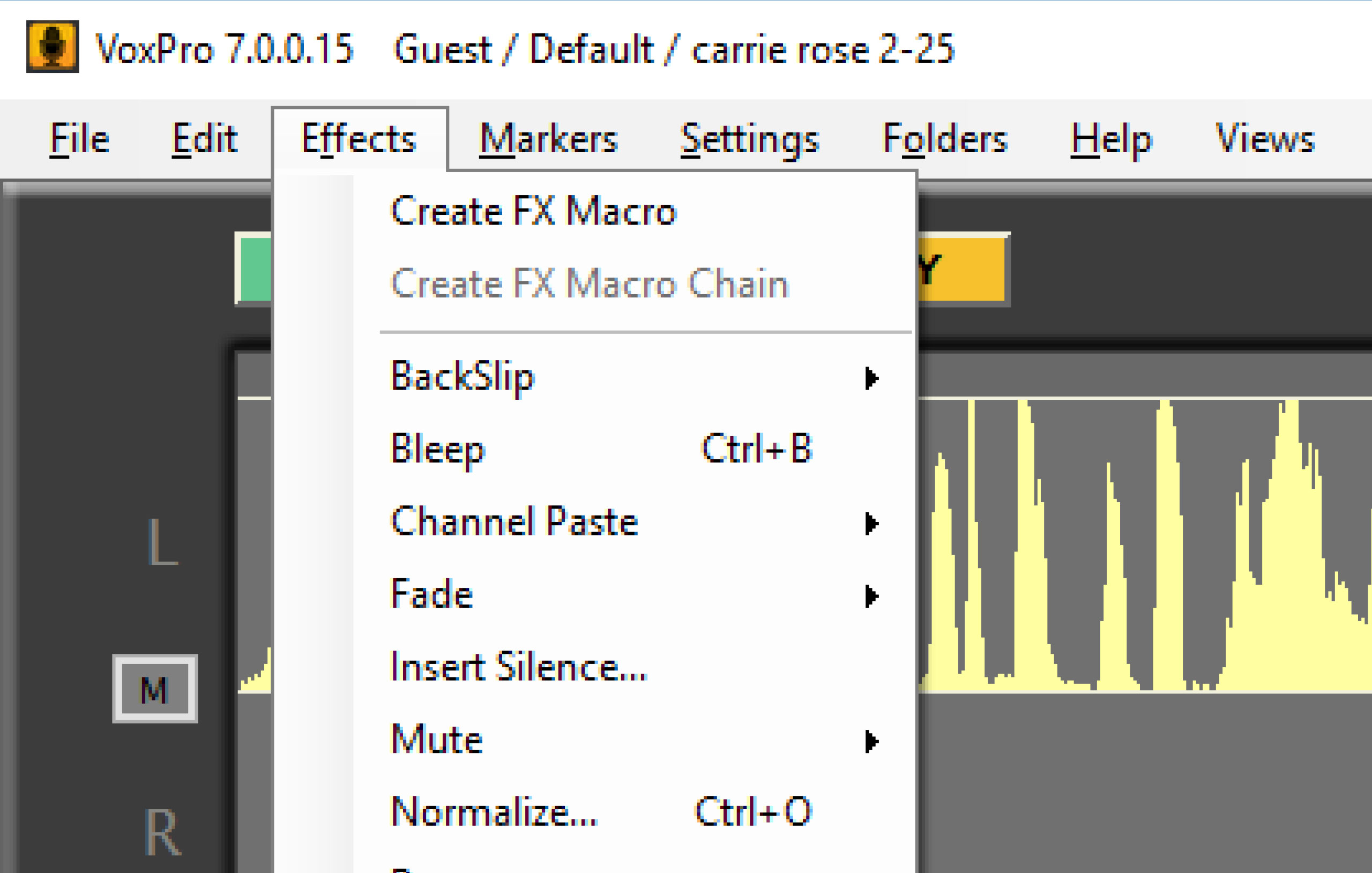
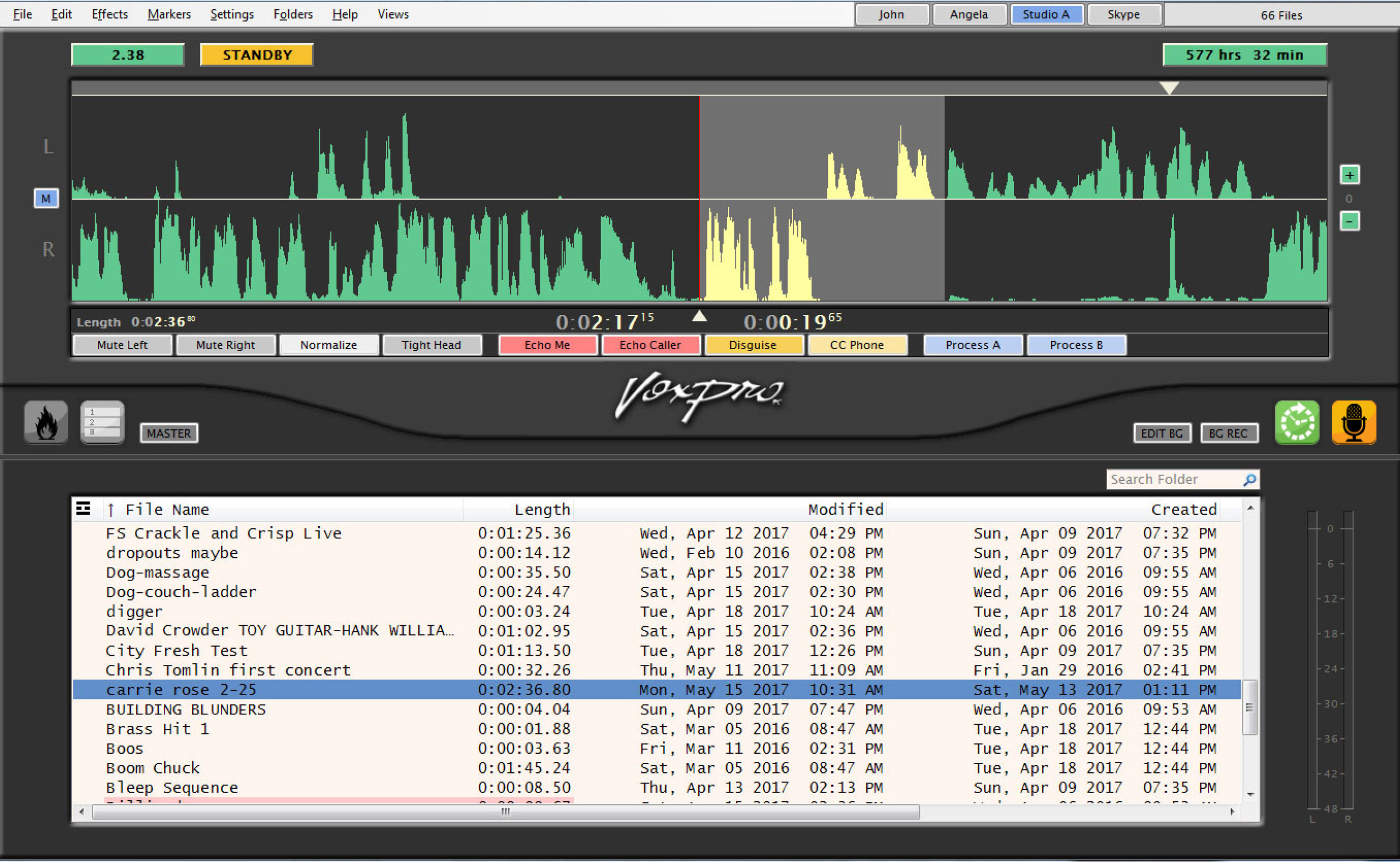
FX Macros provide a means to store commonly used effects on a dedicated button, which can then be applied to your mix with a simple mouse click or using function keys. Once defined, you can chain FX Macros together in sequence.
As an example, suppose you commonly perform a particular sequence of operations on a phone call after it is recorded: normalize – apply favorite ClipCleaner preset – run GapBuster to tighten it up. You could assign each of these individual effects to a macro button, and then create an additional button which performs
all three in sequence.
Like Hotkeys and tracks in the File List, macro buttons can be color-coded according to your own needs. They may also be re-arranged within the macro strip.
The VoxPro7 Effects menu makes special effects such as chorus, reverb and distortion much more accessible.
Effects
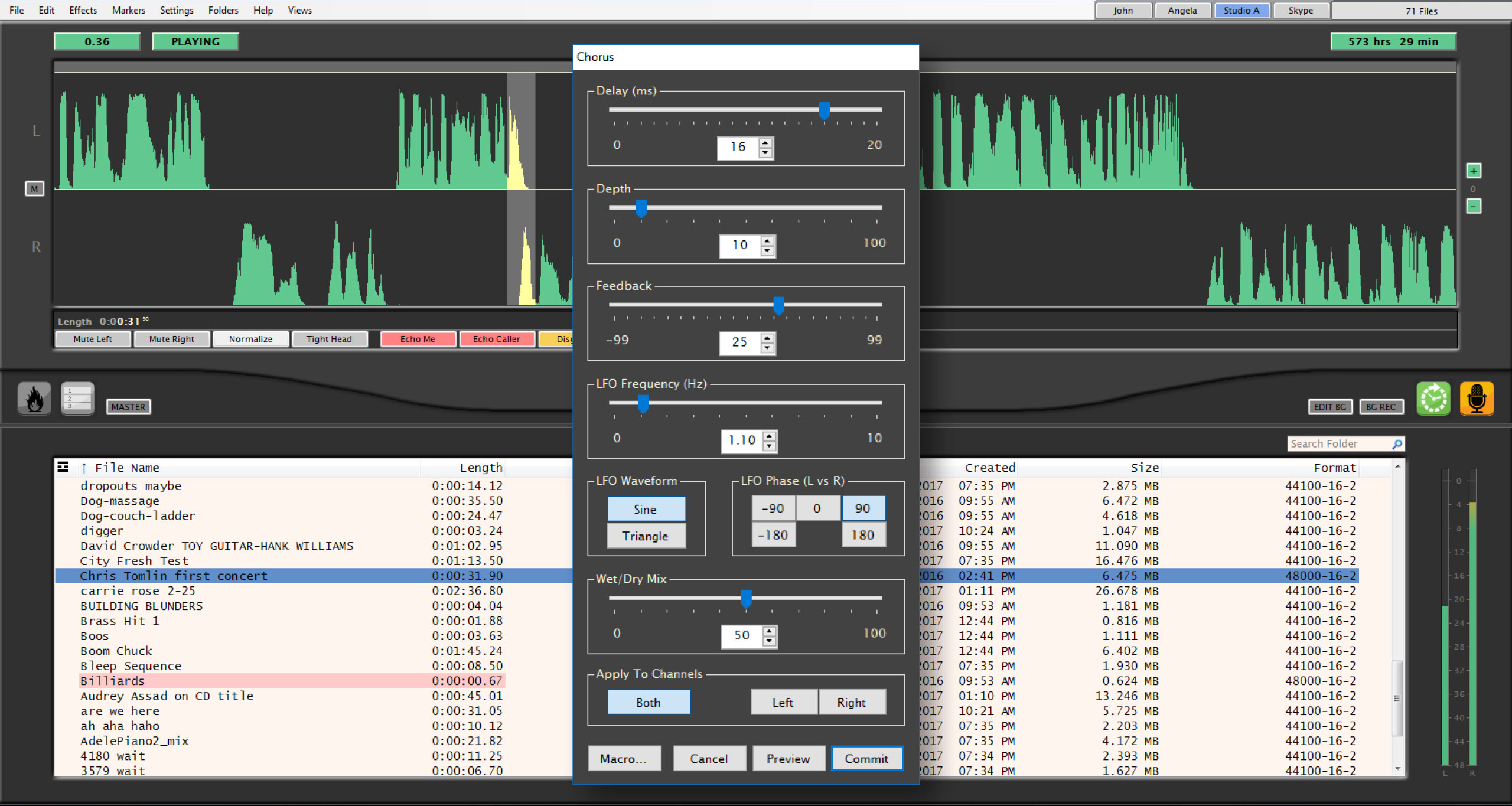
VoxPro7 offers a full array of effects for creative editing: It gives you Chorus/Voice-Doubling, Compression, Distortion (for adding harmonics), Echo, Flanger, Gargle (which modulates the amplitude of the signal), Parametric EQ, and Waves Reverb.
The new editing windows for the effects provide more control over effects’ parameters.
Pitch/Time Manipulation
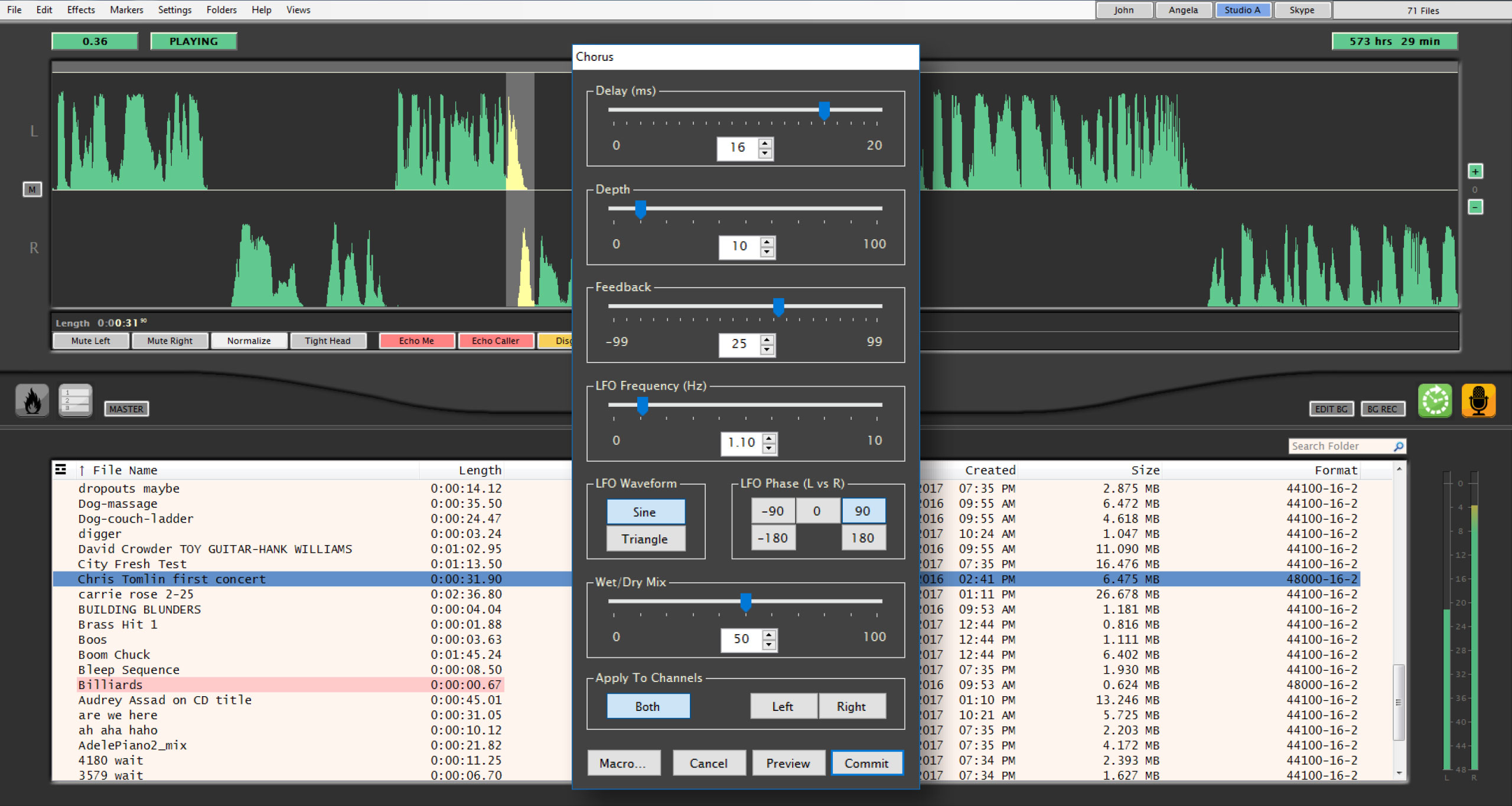 Allows the pitch and tempo of the selected region to be changed in several ways:
A voice may be raised or lowered in pitch without altering the time; a recording may be stretched or compressed in time without altering the pitch; or both effects may be applied simultaneously. Or go retro and use it like classic analog tape, where speeding up the playback rate raises the pitch, and slowing it down lowers the pitch.
AGC
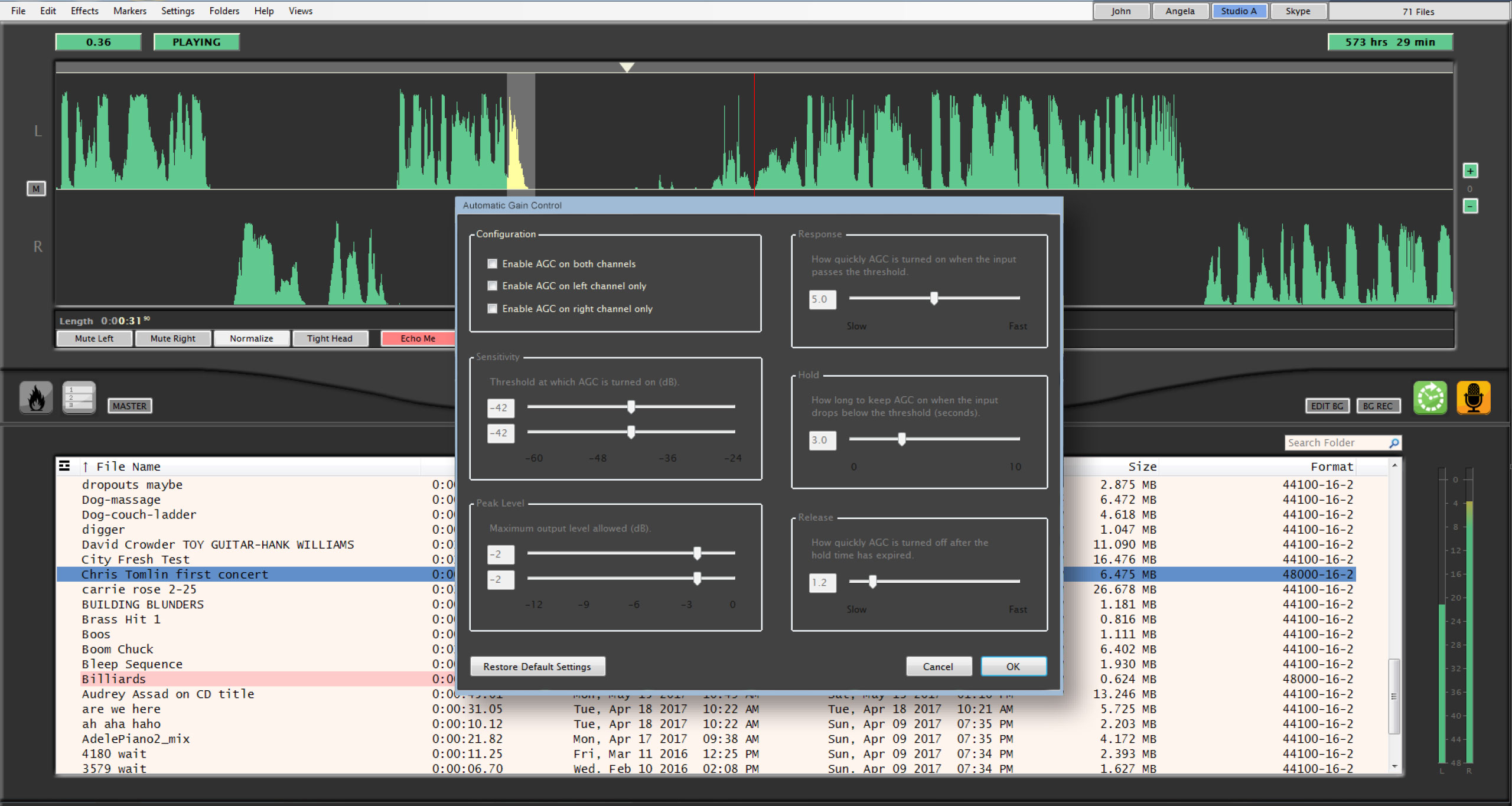 Automatic Gain Control continuously monitors the signal coming into the soundcard, turning up the volume when the signal is too low, and bringing down the volume when it gets too high. AGC is operational only when recording and operates on each channel independently (for example, the caller may need to be boosted, but not the jock).
Adjust Volume
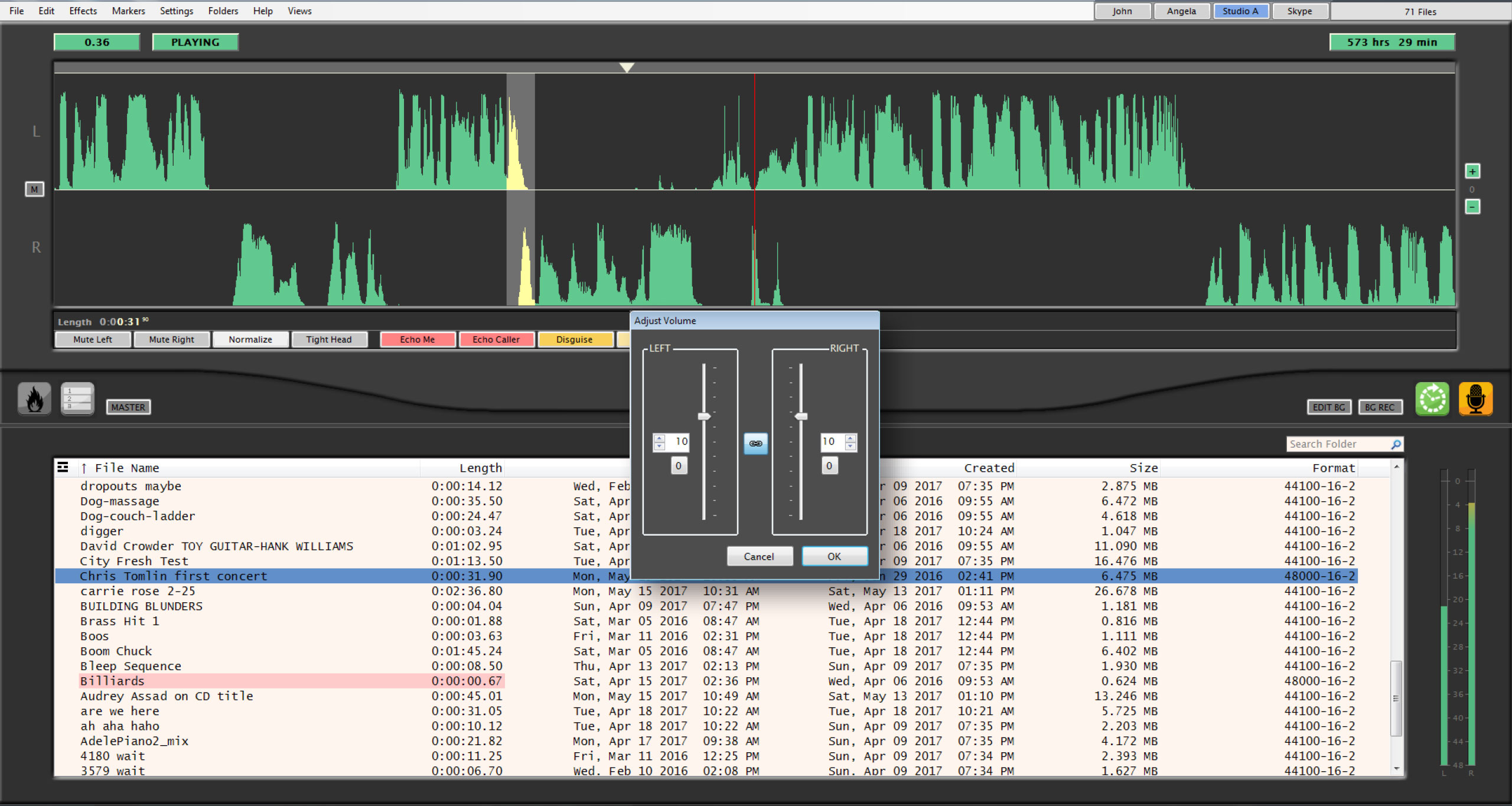
Part of the Effects functions, Adjust Volume changes the decibels on right channel, the left channel, or both channels during editing to allow you to achieve a balanced level. Handy when caller volumes fluctuate or when you are editing multitrack files.
Color Coded Markers
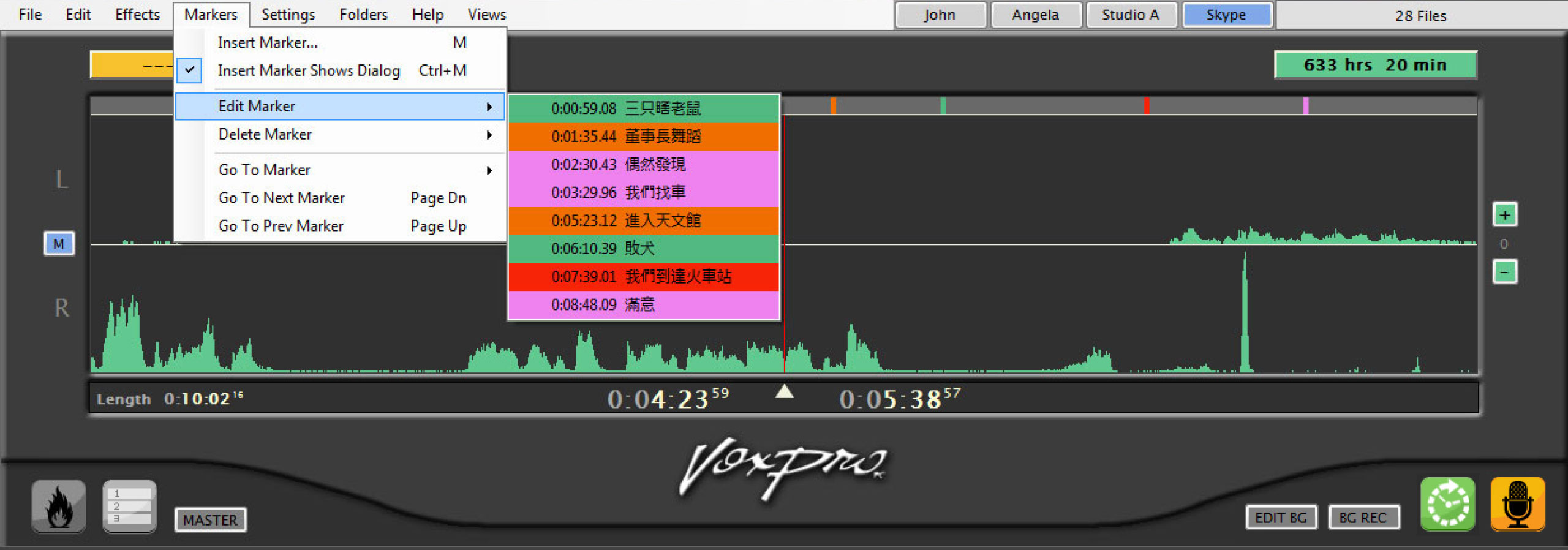
New graphical method to precisely position location of markers. Great for interviews, baseball or football games. Anything that will require documentation of “points of interest” in the file. There is also support for Unicode labels.
Unicode Labels for Hotkeys
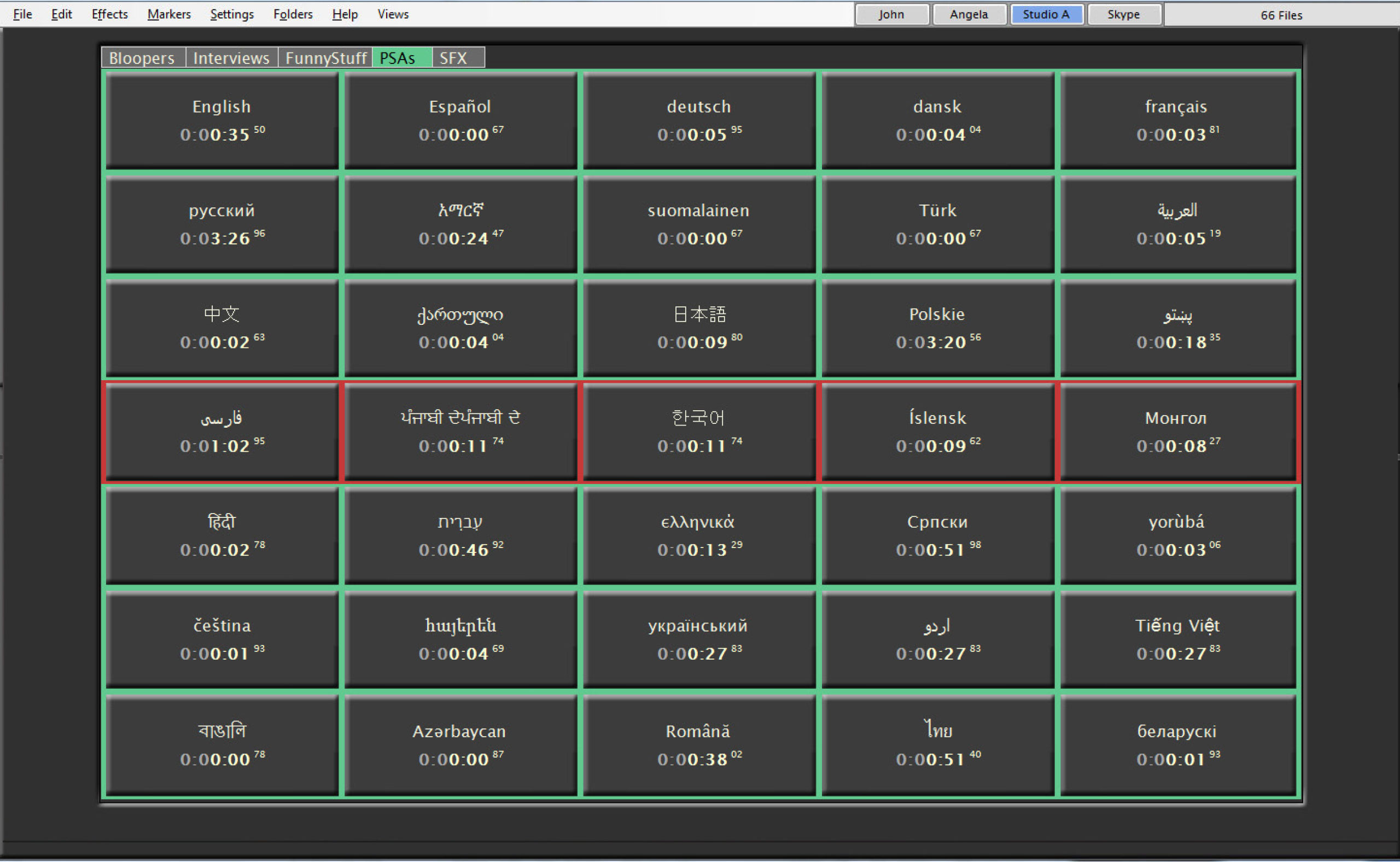
VoxPro supports virtually any and every language and character set in the world. Regardless of which country on which continent you live, VoxPro can be localized.
WheatNet-IP Routing
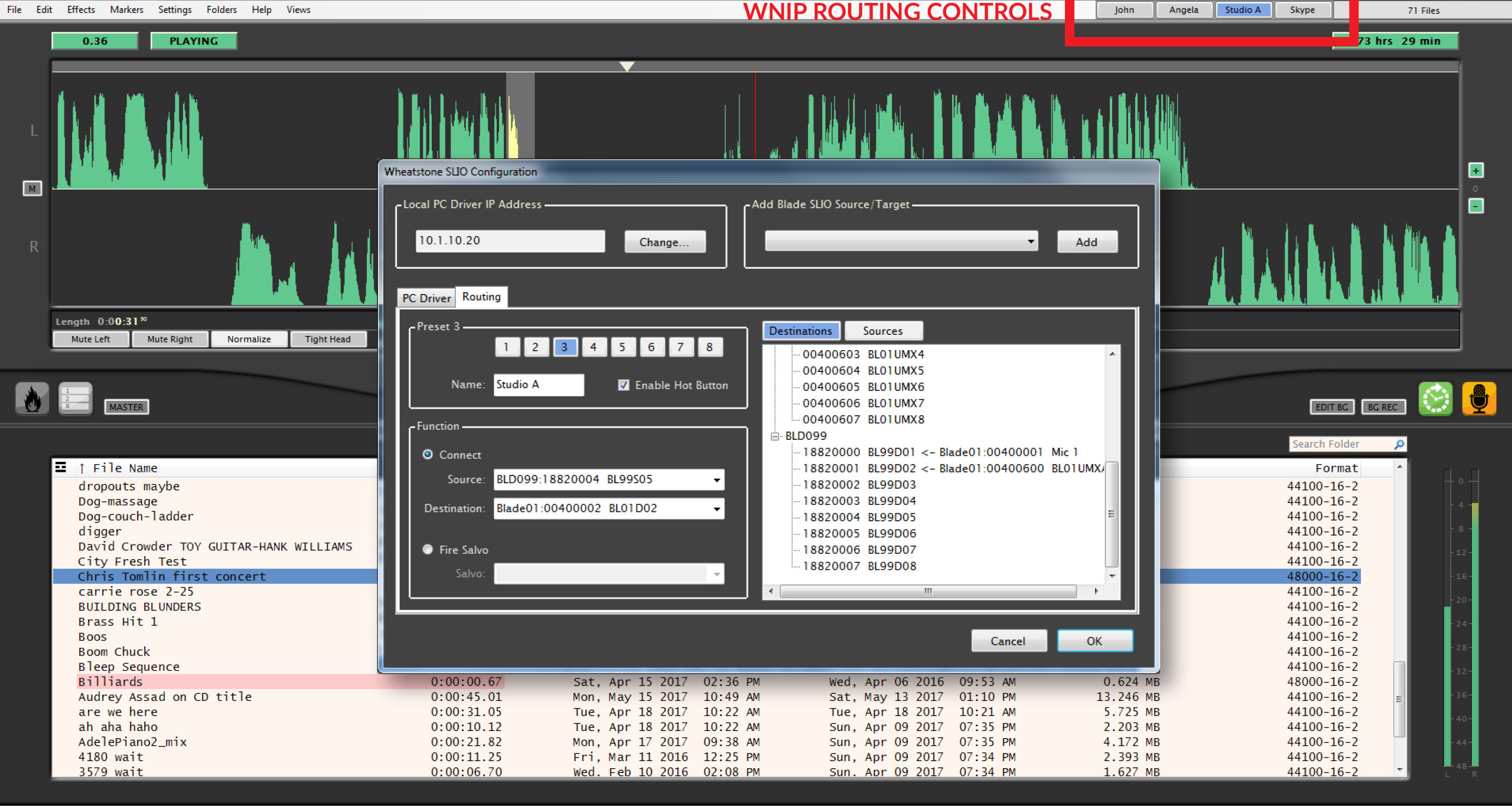 VoxPro fully supports WheatNet-IP. This means that all of the benefits of The Intelligent Network are available from within the VoxPro interface. Assign sources from anywhere on the network to on-screen WheatNet-IP buttons and selecting a source is as easy as pushing that button. Likewise, your VoxPro audio becomes a source available to any BLADE or control surface on the network.
A HISTORY OF VOXPRO
VoxPro was designed by Seattle radio personality Charlie Brown in 1991. Brown, then the morning jock at Seattle's KUBE 93 FM, had seen a rudimentary audio editor on a Mac computer. He was intrigued enough to pursue a development partner, Buzz Hill—an old radio friend who knew how to write code—and with Charlie writing the specs and Buzz writing the software, ProVox was born. However, a quick search of tradenames showed ProVox was already in use, so the name was flipped to VoxPro. Brown was also instrumental in designing the VoxPro hardware control panel, keeping broadcast talent in mind as he laid it out.
In 1993 Audion Laboratories, Inc. was founded and in 1994 the first VoxPro system on a Mac computer was sold to KHJ in Los Angeles. VoxPro stayed on the Mac platform through the iMac. In 2001 Audion ported the software program over to the PC platform where it resides exclusively today.
In October 2015, Audion Labs and VoxPro were acquired by Wheatstone Corporation and is available from them today. Under Wheatstone, VoxPro will continue to be developed to provide even greater functionality.
VoxPro can be found in radio studios and broadcast news rooms around the world. VoxPro has been honored for its excellence as a recipient of Radio World's "Cool Stuff " and Radio's "Pick Hit" Award which it won for a second time at the 2013 NAB. VoxPro is known for its stability, durability, speed, reliability and ease of use. VoxPro is the de facto choice for voice editing software in radio broadcasting.
VoxPro most recently got a New Bay Best In Show Radio World award for VoxPro7 at NAB2017.
SPECIFCATIONS
Minimum System Requirements for running VoxPro7
· P3 Processor or higher (P6/Core/Core Duo/Core-2,etc recommended)
· Windows 7/Windows 8/Windows 10
· 4GB RAM
· Microsoft .Net Framework 4.5
· USB port for Control Panel
· USB port for Security Key
Recommended System:
· Intel Core i5 or better, 3GHz or faster
· GPU with minimum 256MB dedicated graphics memory
· 1TB storage drive
· 8GB RAM
· Additional NIC if running an AOIP driver
Sound Card or Audio Device
· 16-bit Audio
· 44.1Khz or 48 kHz sample rate
· WDM driver with full DirectSound support
Optional: WheatNet-IP Driver to Network via Ethernet (in this case, no soundcard needed)
For further help, please click here: http://wheatstone.com/voxpro-helpful-links
Genuine Wheatstone Add-Ons
Whether you are setting up interview suites or desks, or just making workflow more intuitive and efficient, Wheatstone has the gear you need to get the job done.